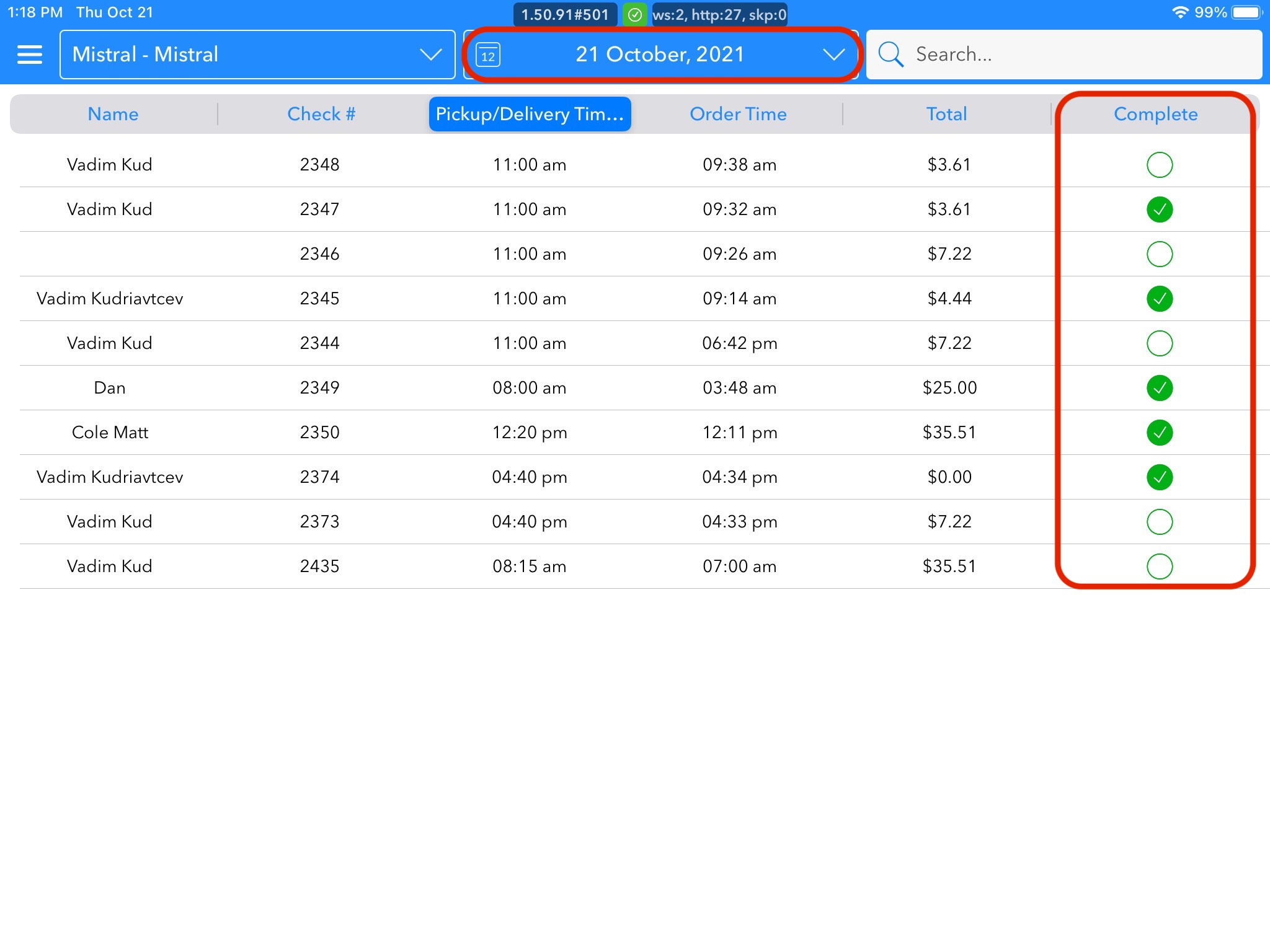
Takeout order settings help you manage all orders that are for takeout specifically. From this screen, you can see the name, check number, pickup/delivery time, order time, and order total. You can complete the column to check off orders that have been picked up.
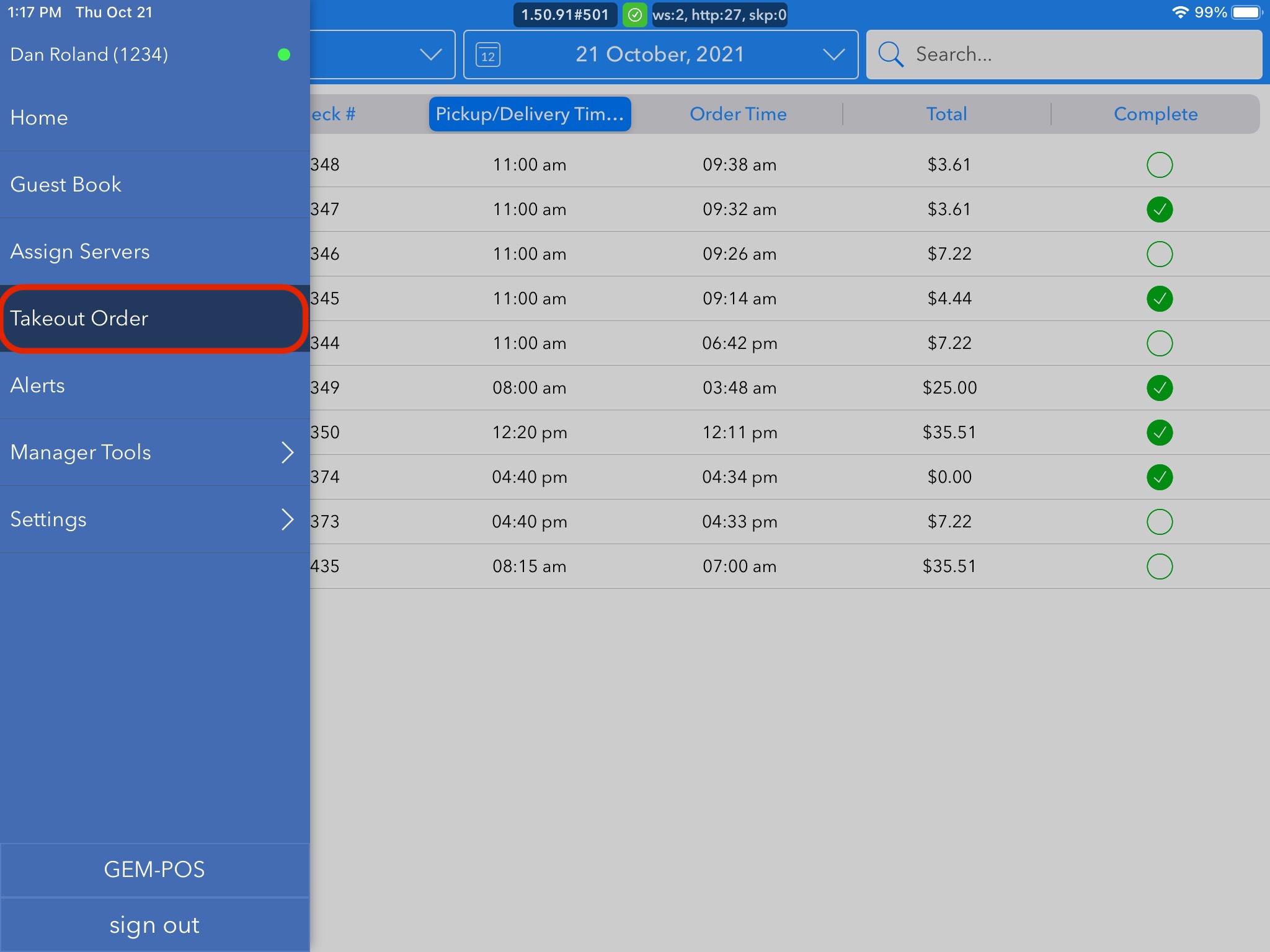
To access this, you should open the menu to the left by either sliding the screen in from the left or by clicking on the hamburger. Once you see the menu, click Assign Server.
Once on the Takeout Order page, you can look at all orders for the day. If you are looking for a past or future order, you can click into the date box and can move between days.
You also have the ability to check off completed orders in these screens. The green check will indicate that the order is completed, paid, and picked up.