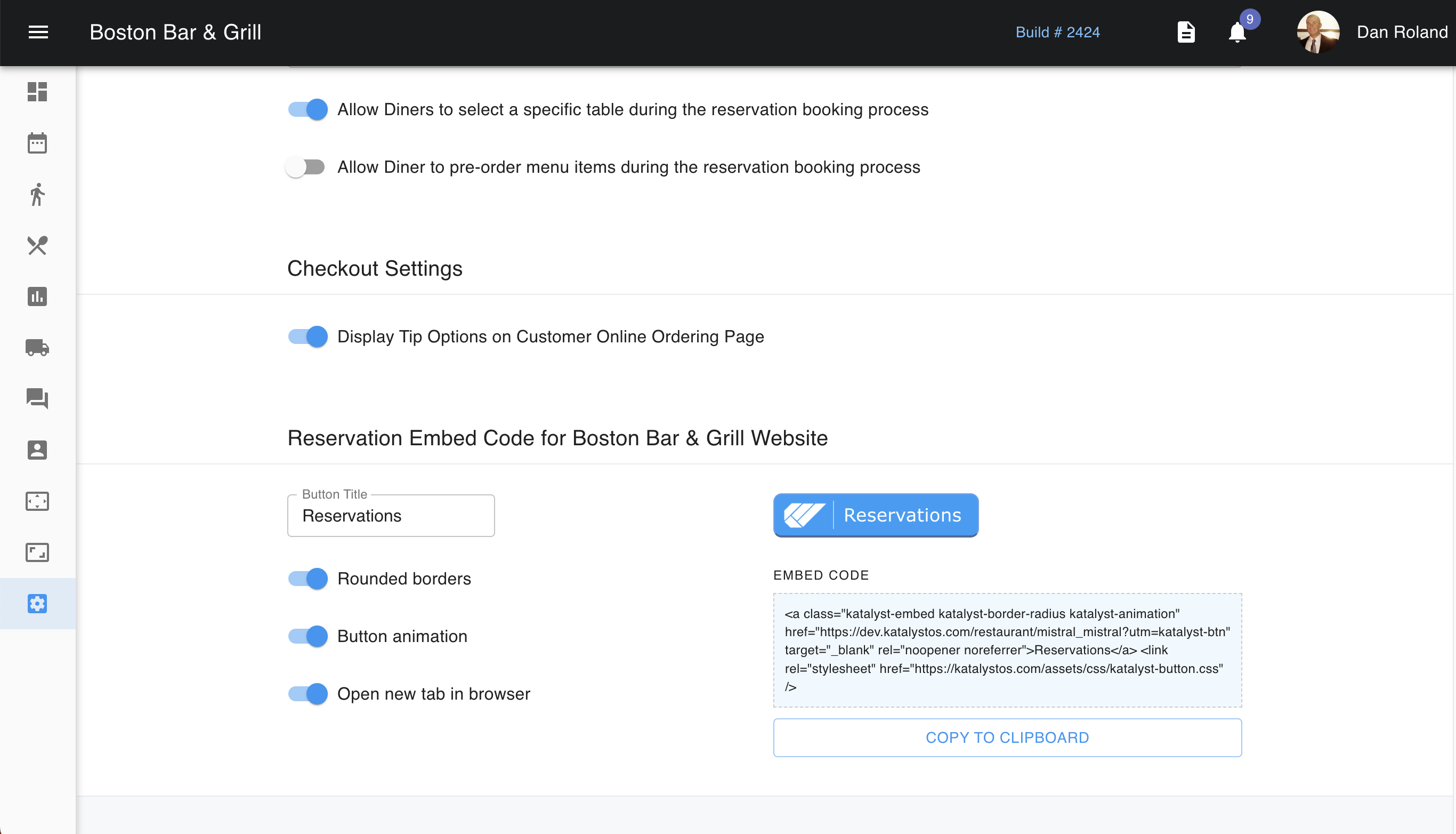
Table Management Settings controls the restrictions set on the tables to help control the flow of how and who is able to make reservations, typical time expectations of reservations, and what the customer sees while making a reservation to an extent.
Reservations can be set differently per your different revenue centers. The first toggle allows you to set a time that the POS should clear tables should they be left with indicators of a reservation. Typically this will be set for off-hours like 3 am when all operations have stopped.
Below this is the estimated table turn times depending on the number of guests. This will affect the customer if they are attempting to make a reservation online and there are no tables available for their group time/size. The system will suggest another time based on availability.
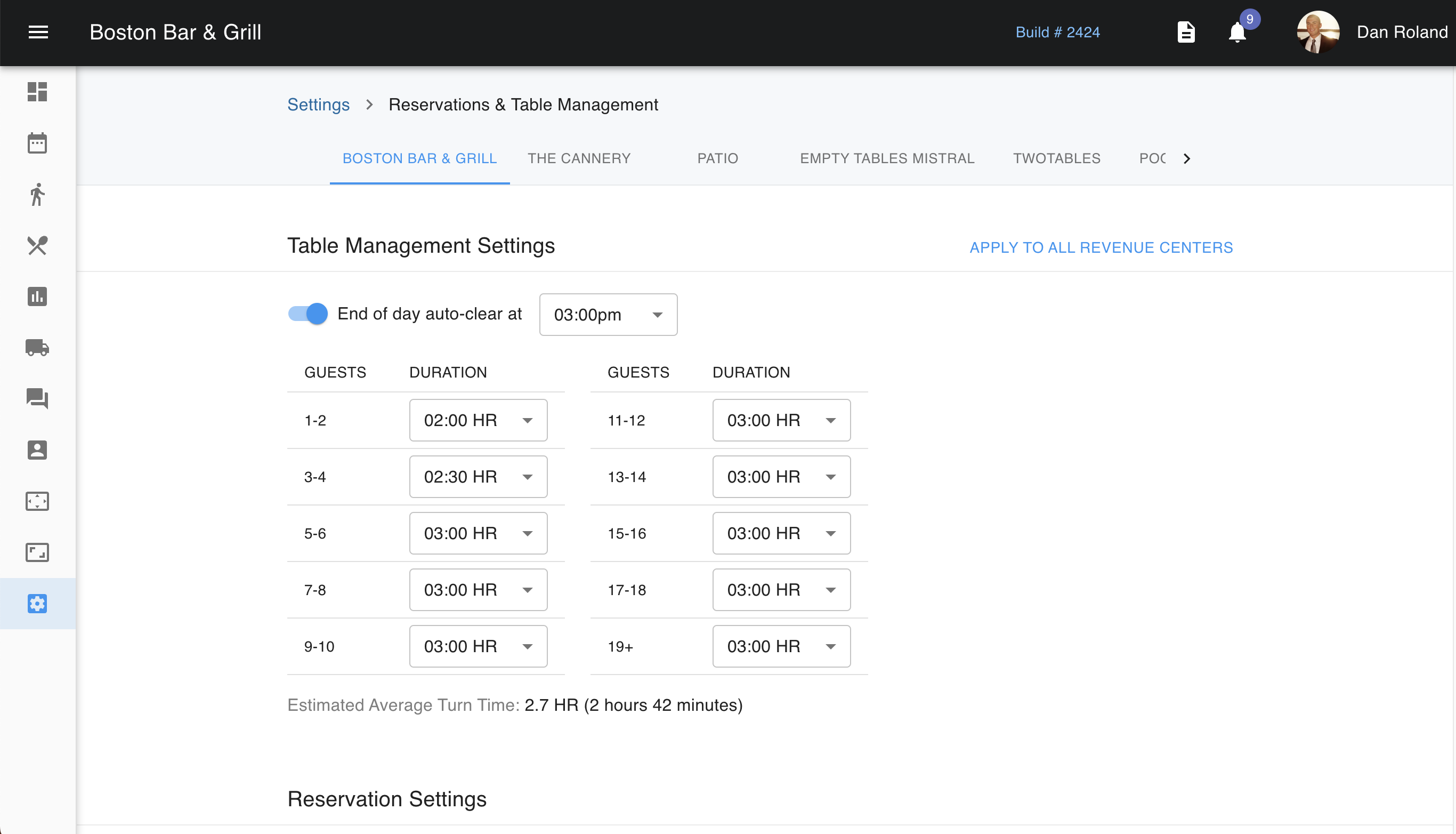
Below are the Reservation Settings where you're able to control when reservations can be made. The first toggle allows you to temporarily pause diner reservations either on a specific day and time or indefinitely. You should be aware that if you use this toggle, it will need to be manually toggled off when you no longer need the reservations to be paused.
The next toggle allows all diners to make reservations online. Typically, this will be turned to the on position when online reservations are offered. The next toggle allows and restricts the guest to only one reservation per person. You are able to set rules on how far in advance a guest is able to make a reservation and sets limits on the minimum and maximum of guests that a reservation can be made for.
Below this, you can also indicate if the diner is able to specify what tables they want while making a reservation. You should also look at your floor plan where you can further indicate which tables are available for online reservations and which are not to allow a little more control on the behalf of the host. Lastly, you're also able to allow if a customer is able to pre-order menu items during the reservation booking process. Meaning if the customer knows that they will want certain apps on the table shortly after arriving, the customer can pre-order for these items to be ready.
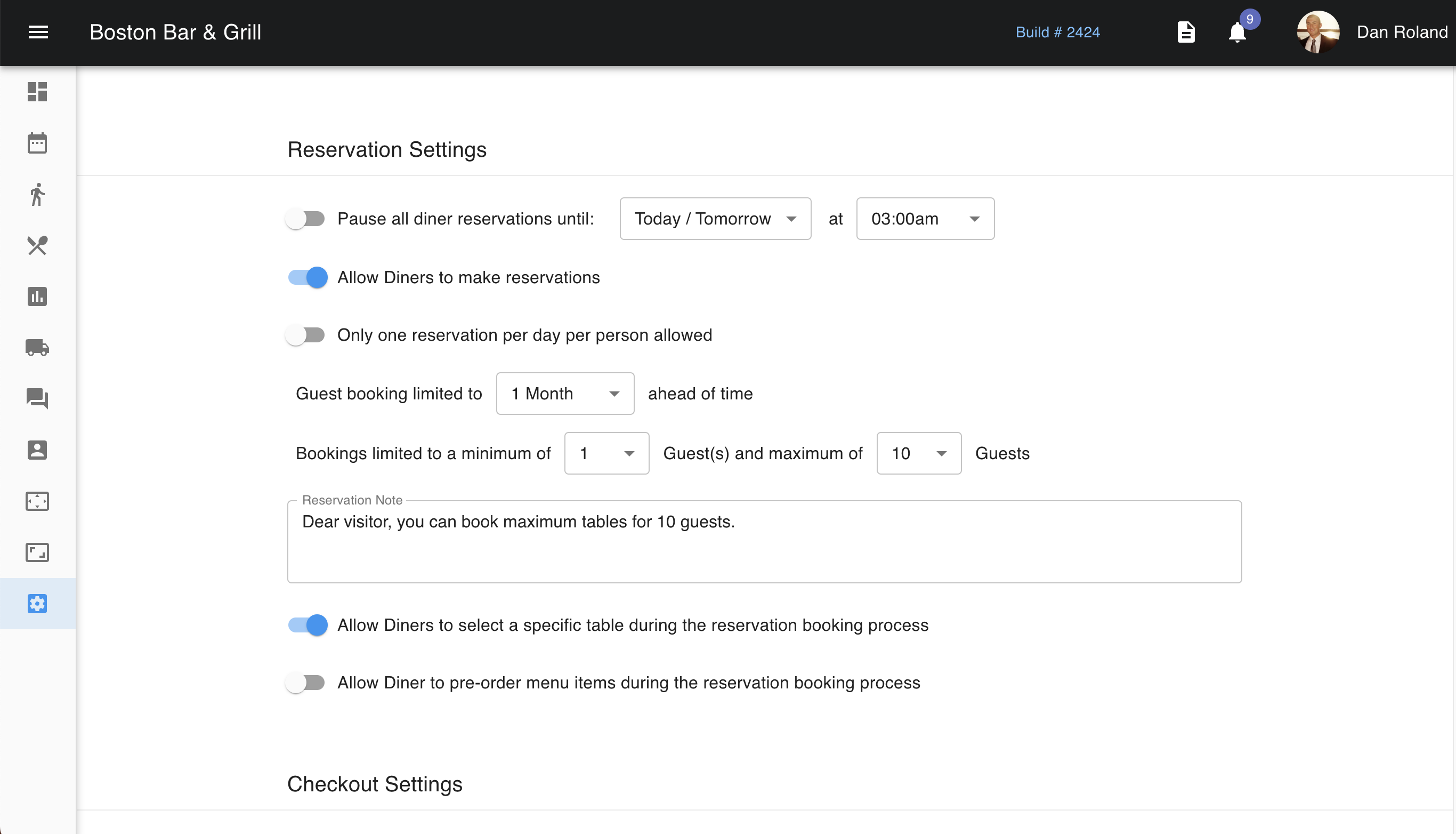
Scrolling further down, you're able to toggle on or off the ability of the customer to enter a tip when checking out from an online order. You can also find the code that must be embedded into your site to allow guests to make reservations and orders through Katalyst. You can indicate the title of the button that will display to the guest if it is rounded, or animated, and if it opens a new tab in the browser.