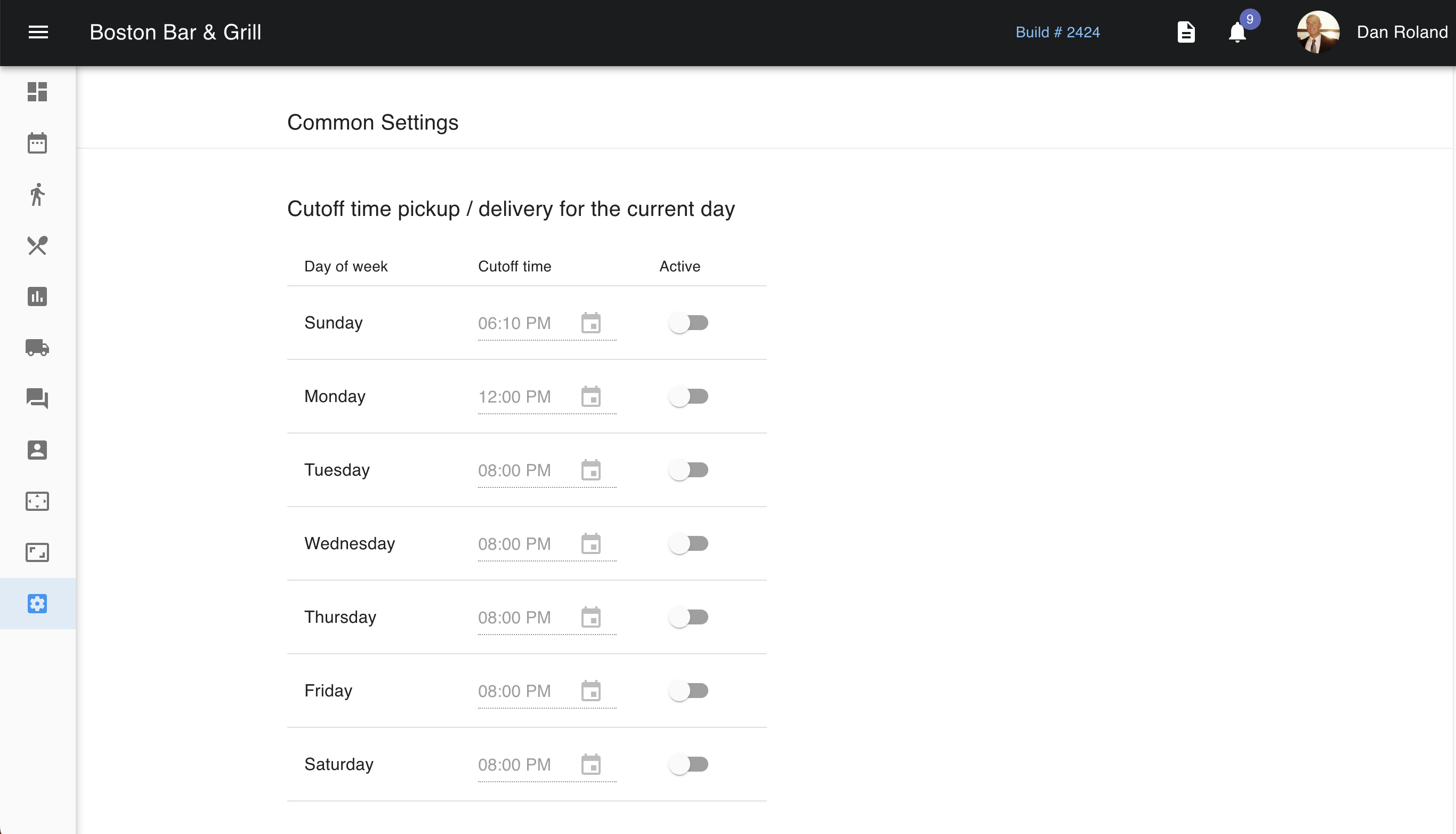
The Pick-up & Delivery settings allow you to set up pickup and delivery if youprovide these services. You are able to set up how many orders can come in within a 15-minute interval, as well as for pickup instructions. Additionally, you can also set up a time frame in which the customer can expect their items to be ready.
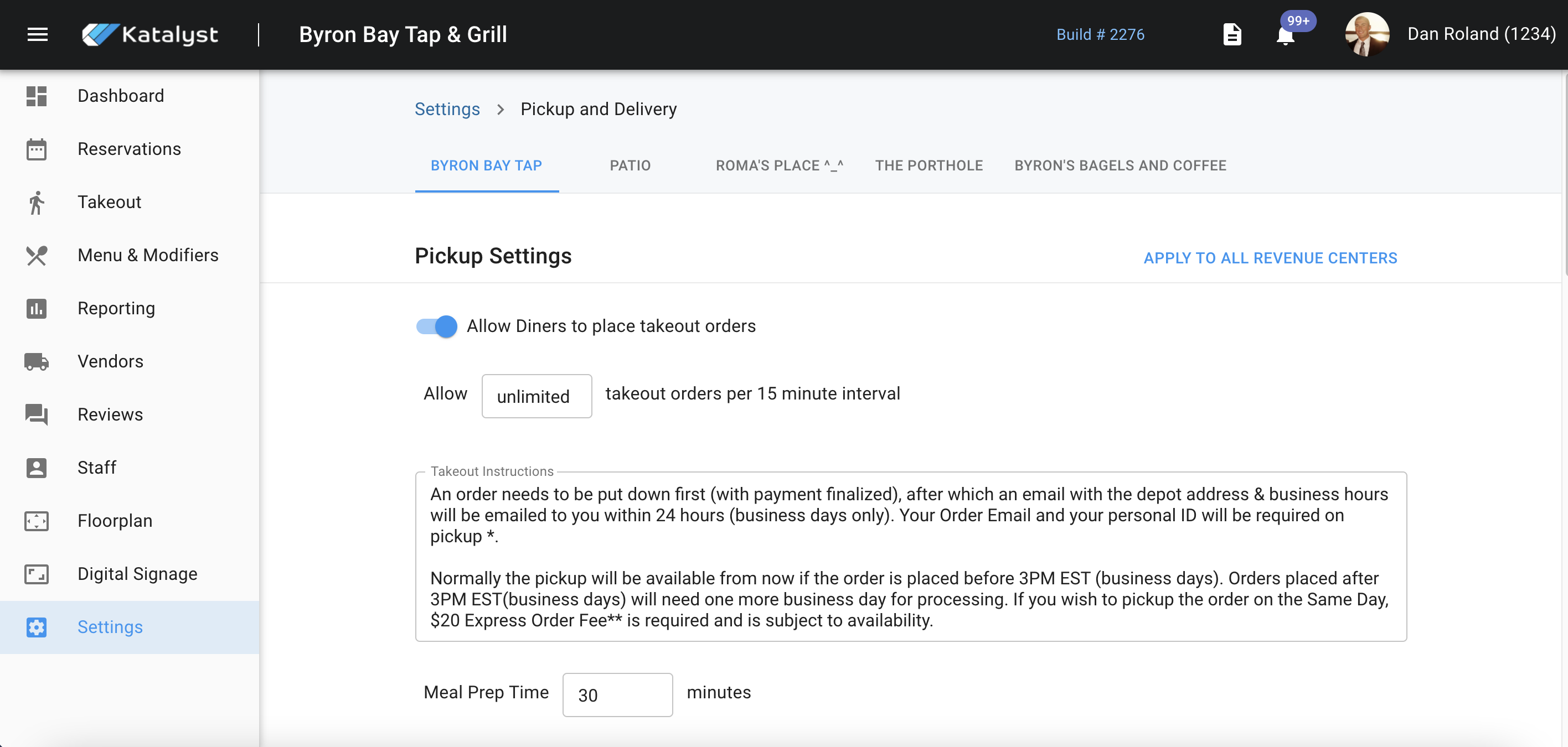
Below are settings that indicate if you allow for curbside pick-up, how many spaces are available for curbside pick-up, if orders should be displayed with an "Accept All", and finally what rules apply to that process. You're able to decide if only orders for the current day at prep time should be automatically accepted, moved to preparing, be printed to the kitchen, or if all orders should be moved straight to preparing and be printed to the kitchen.
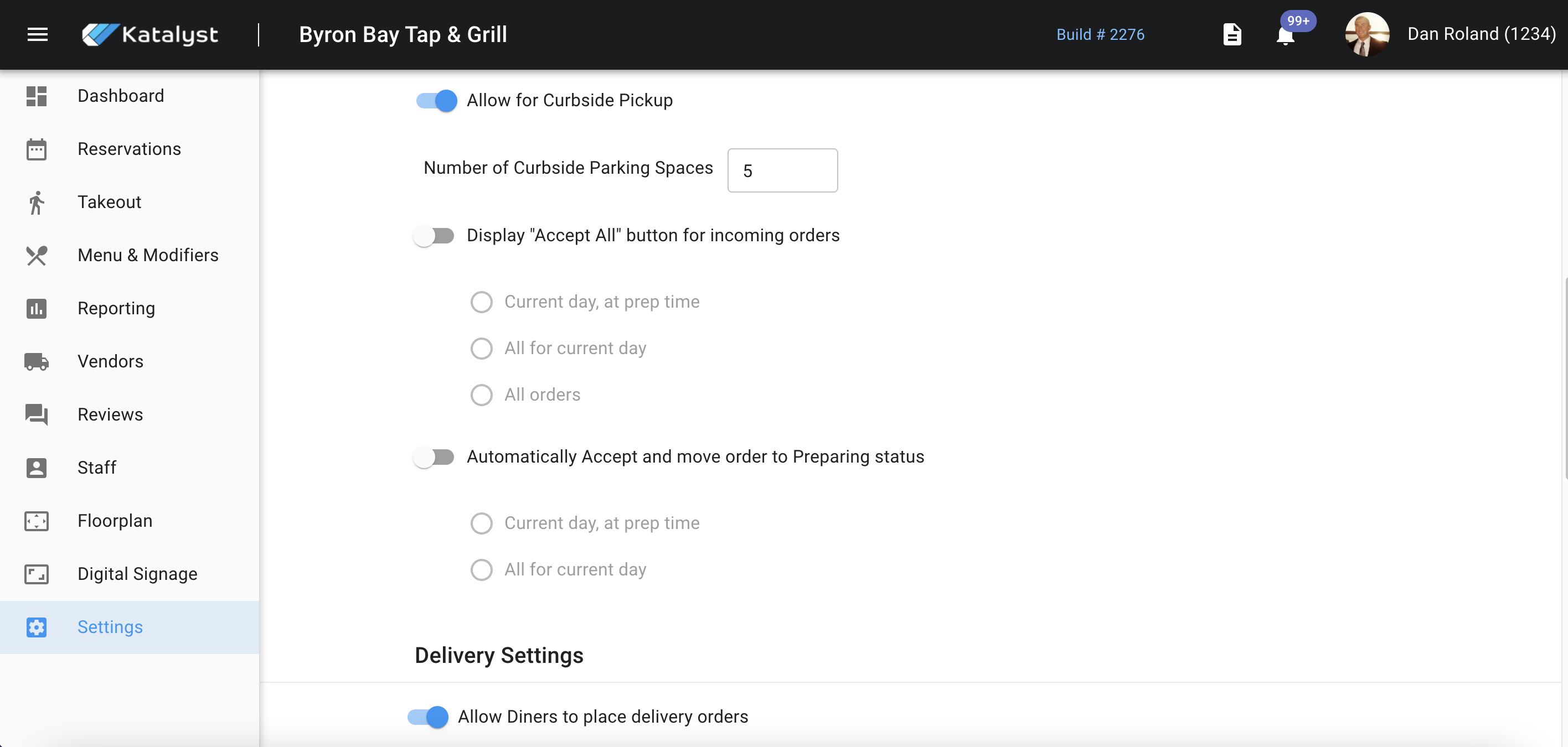
You can set up delivery order settings below those settings. You can toggle if this service is active or not, as well as what their fee for/and delivery radius are. You can also set up the distance and time settings that help to set customer's expectations. The confirmation email design the customer gets will indicate what time frame to expect their order.
Delivery reminders create a confirmation for the customer. This delivery reminder will be set up to send customers notifications about the stage of their order. This is currently not an active feature.
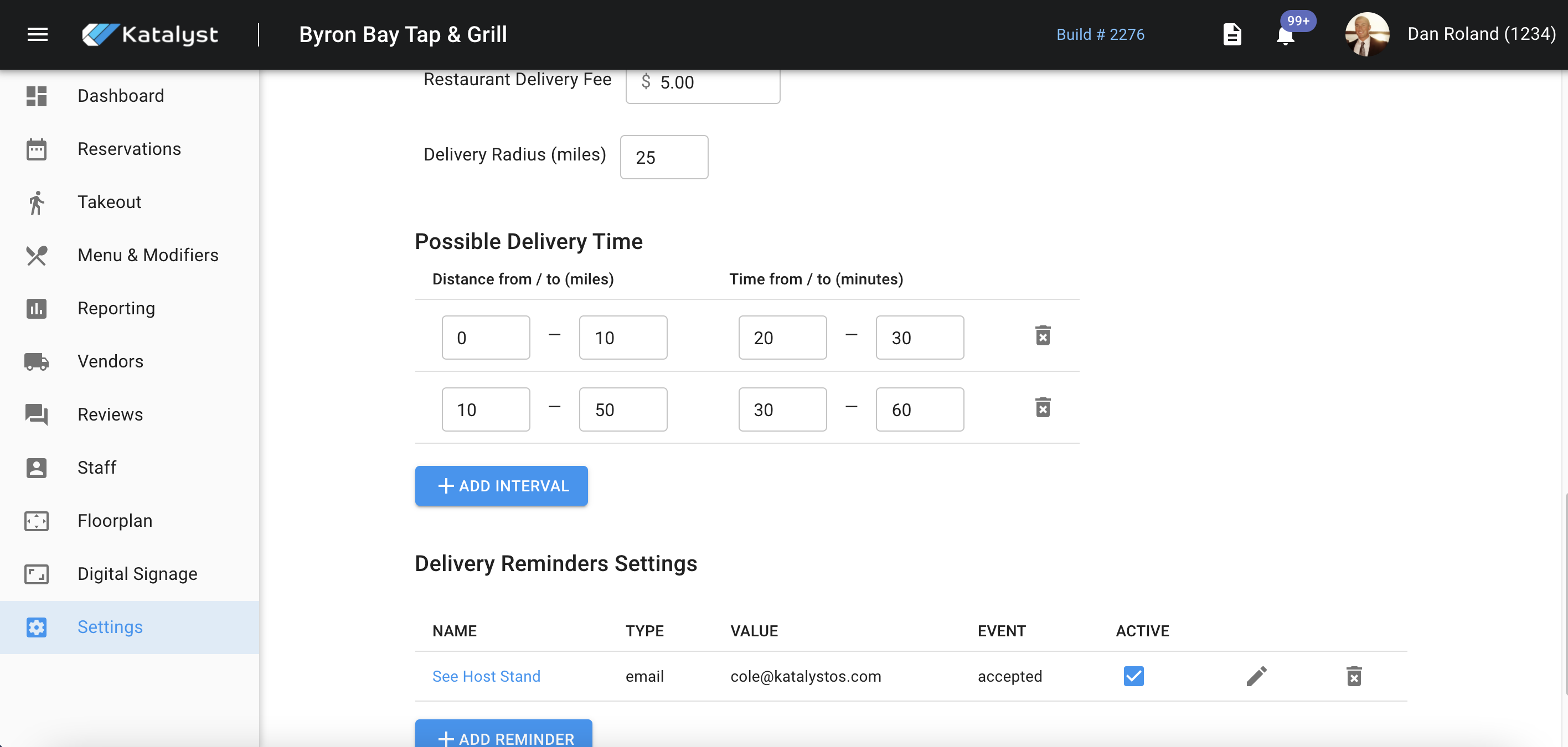
Lastly, common settings regarding cutoff times for pick-up/delivery on the current day allow the you to implement cutoff order times for each day of the week. This is currently not an active feature.