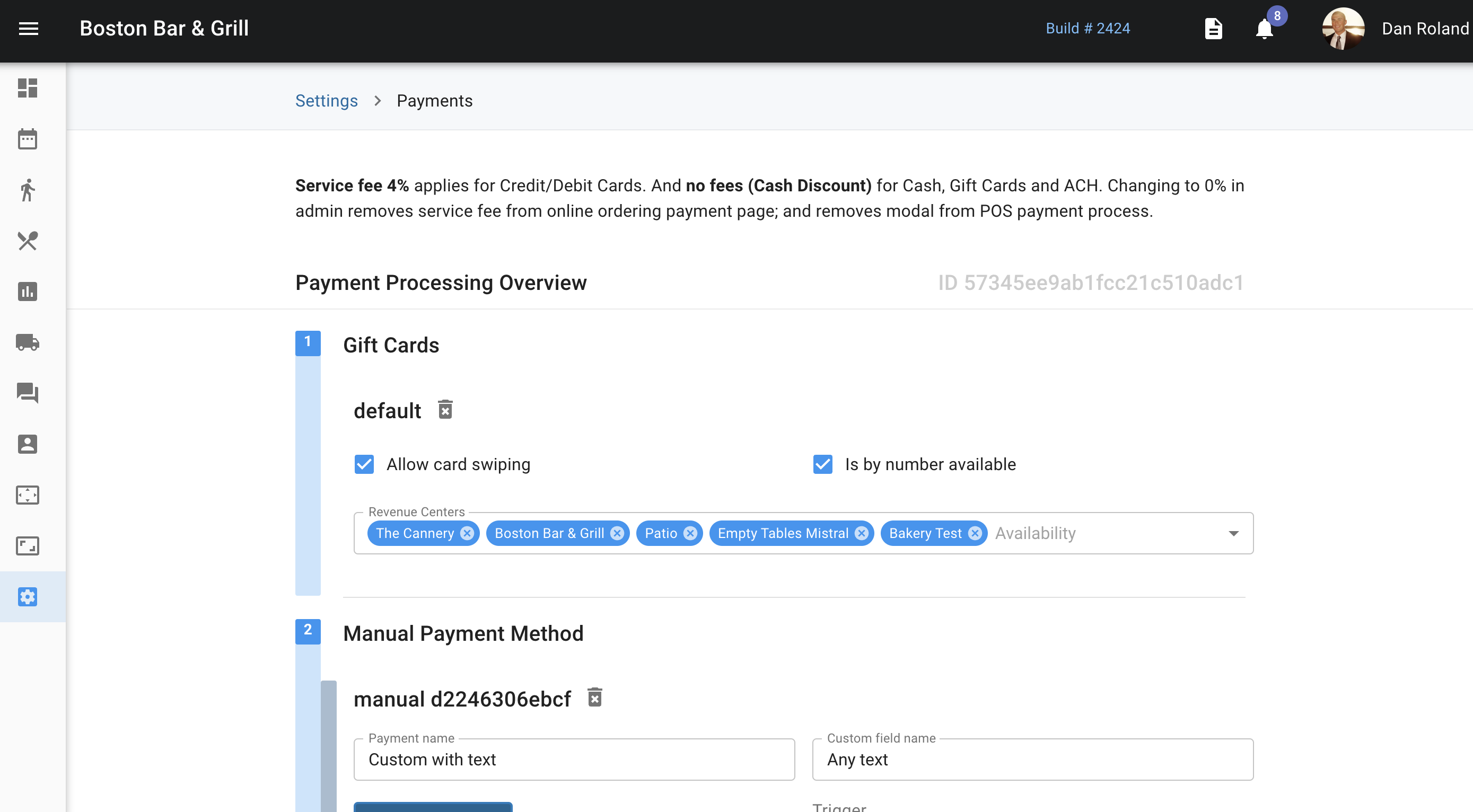
From the Payments page, you're able to add and take away as many different payment methods that you would like. Payment methods can include gift cards, loyalty cards, credit, debit cards, cash, and alternative payment methods like Apple Pay. These will be set up by our onboarding team.
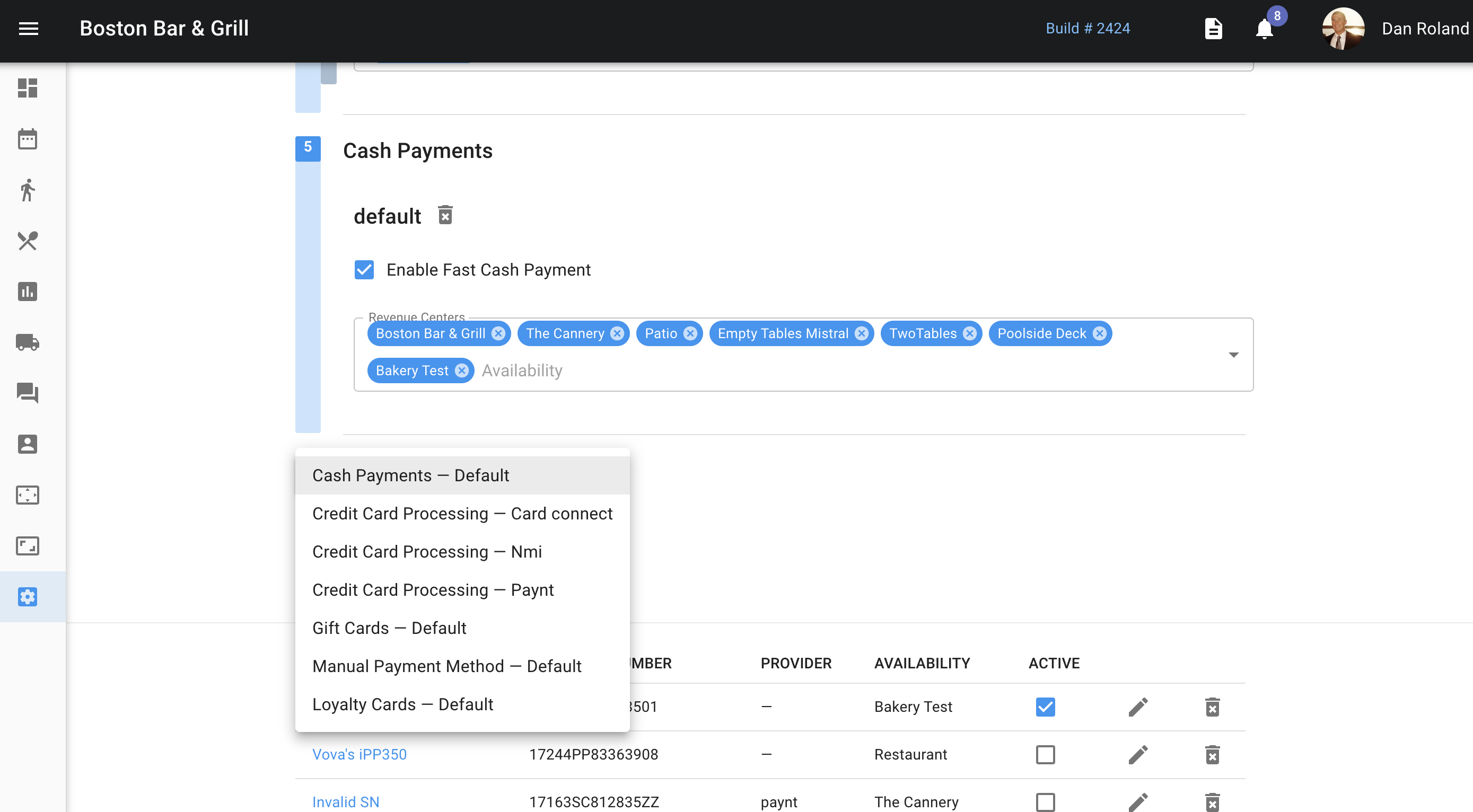
When adding a payment method, it is very important to add in all revenue centers that this payment method will apply to. If the correct revenue centers are not applied, then the payment method will not show up in the POS.
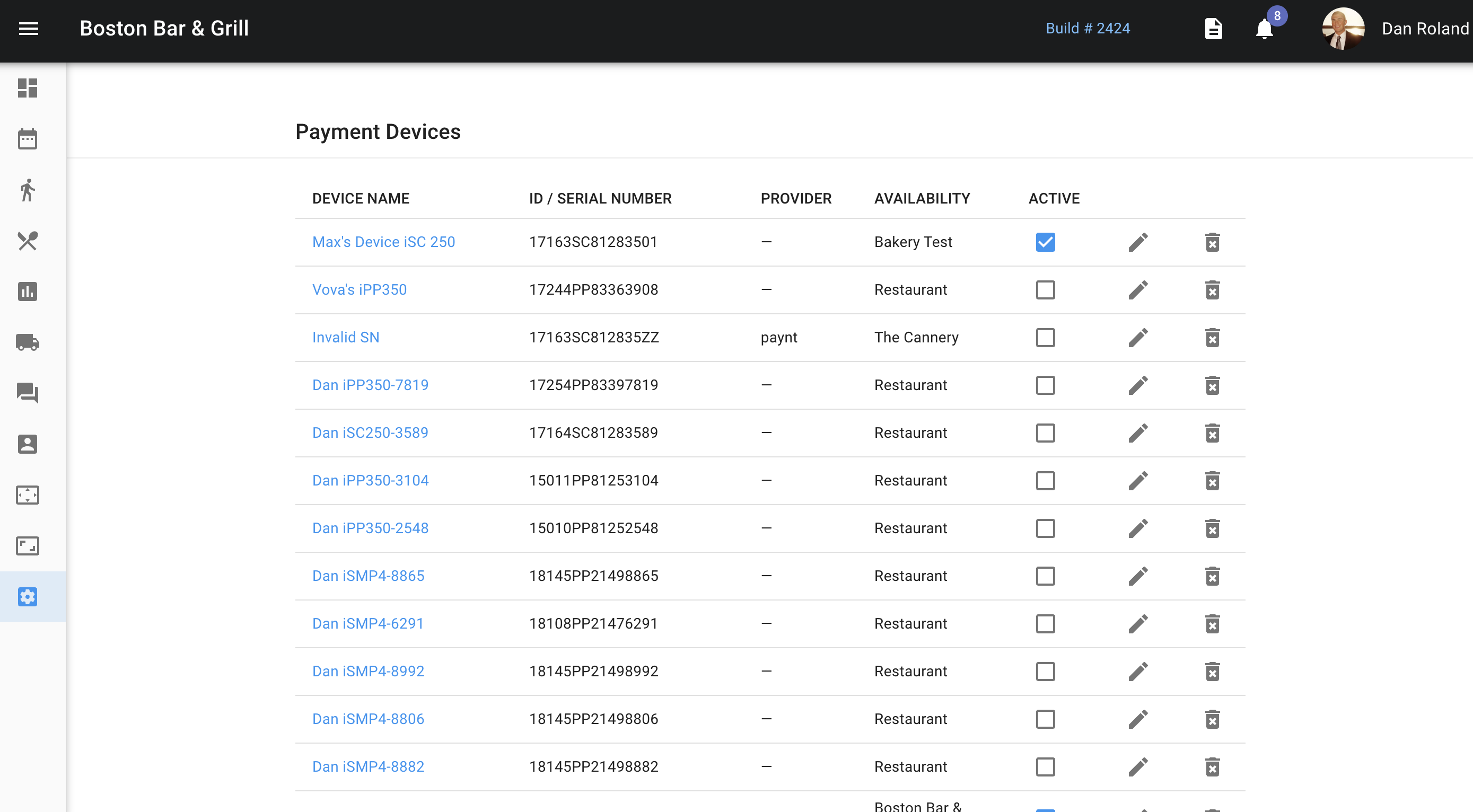
Below where the payment methods can be managed is where you are able to see all active payment devices by name, ID, provider, availability, and if it is active. Clicking on the pencil allows you to edit any of this information and the trash can allows you to delete the payment method permanently. Typically we do not want to delete payment methods, but rather make them in-active instead.
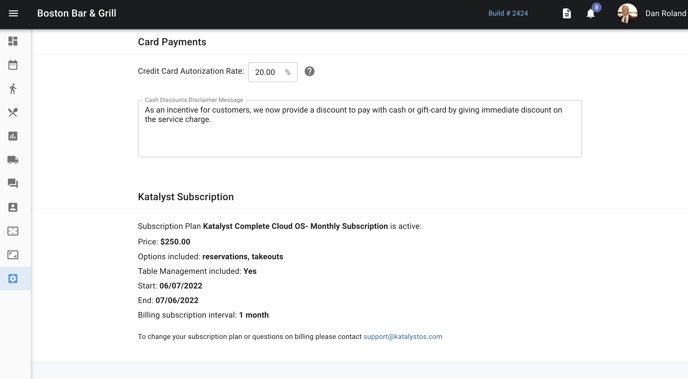
For now, ignore the card payments authorization rate as this is not something currently in use.
Katalyst subscription information can be found at the bottom of this section. Here you can see the subscription plan, price, what options are included, contract length, and how often the merchant is billed.