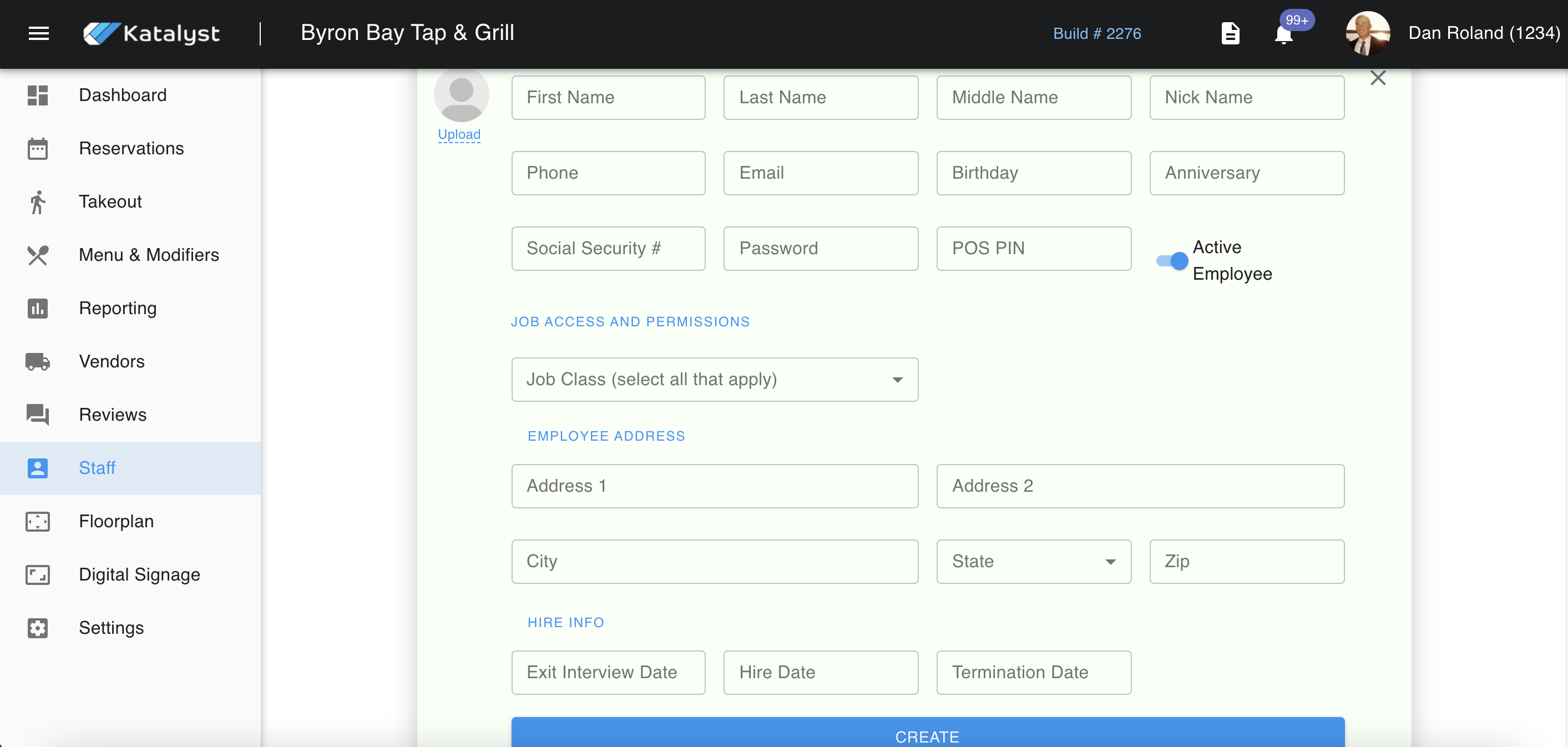
Staff is where you can access all staff profiles with ease. From here, you can add new staff by clicking the ADD STAFF button in the top right-hand corner.
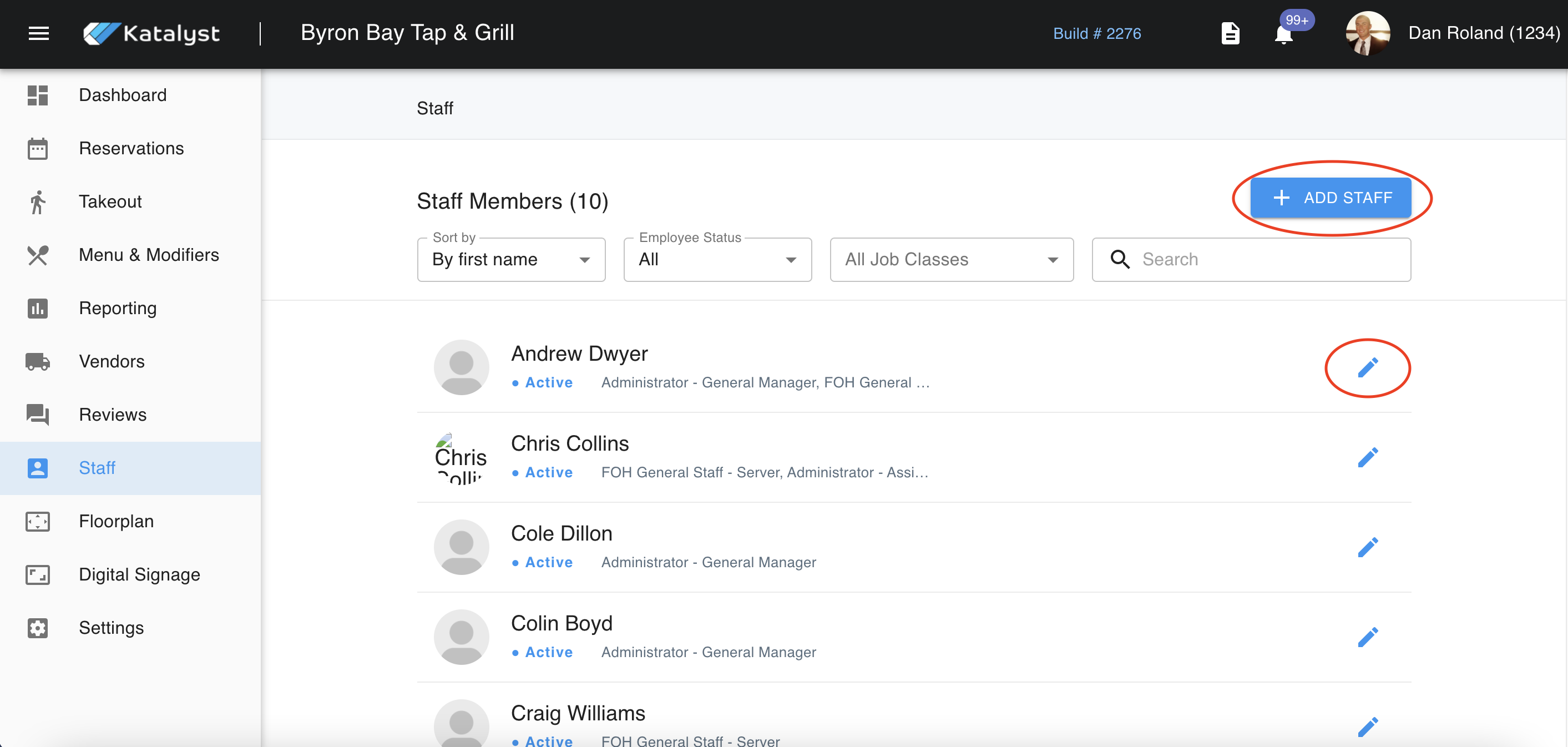
Once you click on this, a pop-up will appear. Here you can enter general information about the employee, as well as set their pin for POS access. You can also assign job classes here and if the employee should be leaving, track the employee's exit interview date, leave date, and termination date. It is important that you save the new information with the CREATE button. When you click on an existing staff member, the same information will show with the additional option of being able to delete the user.