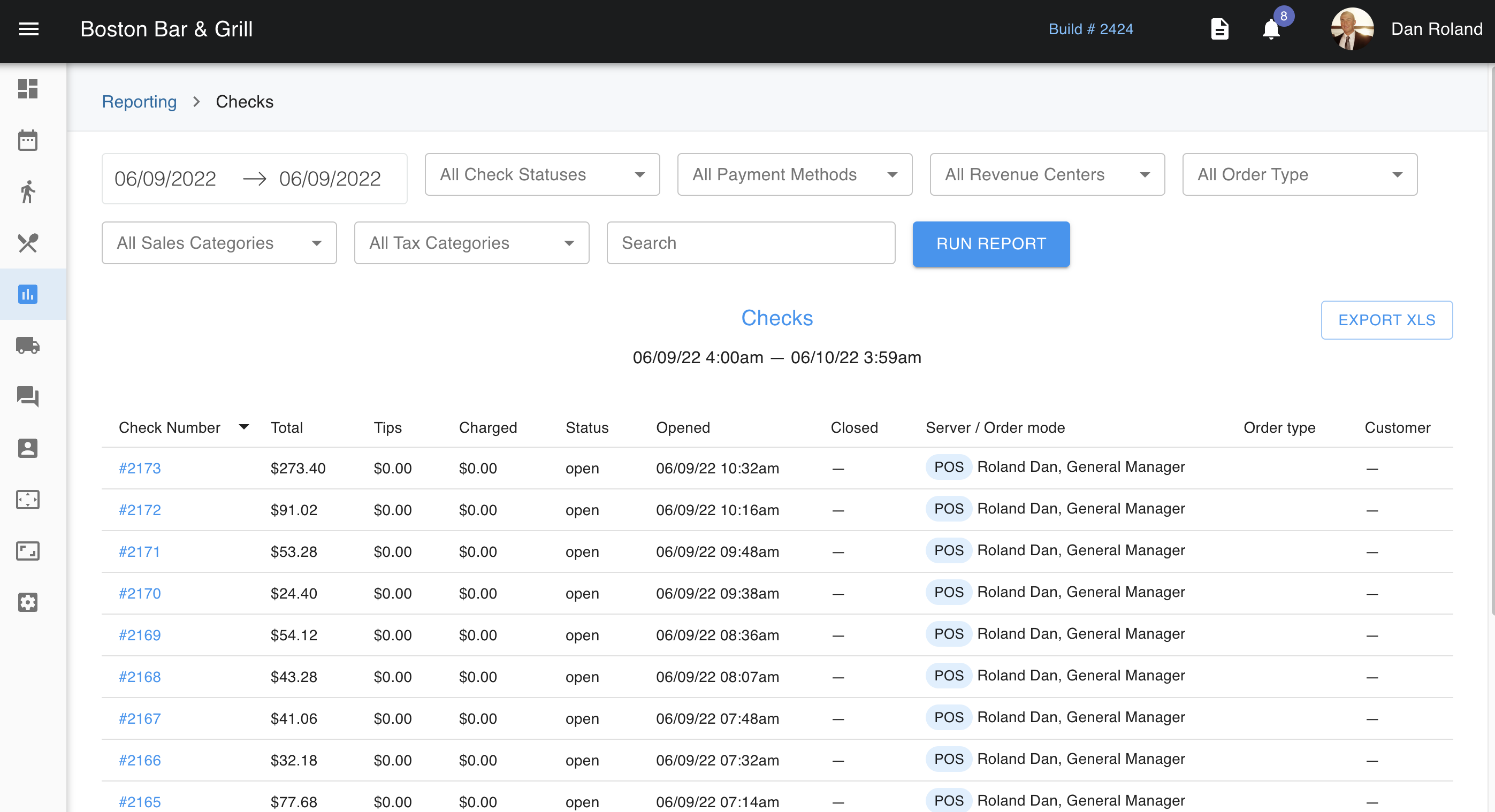
Under Reporting > Checks is where you can find all the checks that move through your establishment. From here, we can filter checks by date, check status, payment method, revenue center, order type (i.e. takeout), sales categories, and tax categories. Additionally, we can use the search bar to search by either a staff member's name or check number.
When you have found a check you are looking for, you can click into this check where we can see if the check is paid as well as its status. We can see the check items, the order mode it was ordered in, server, dates, time, table, how many guests, and the check number itself. We are also able to see the total and tips at the bottom of the check. At the bottom of the check is also where we can find the payment details. Lastly, there is also clickable link that will open another pop-up. 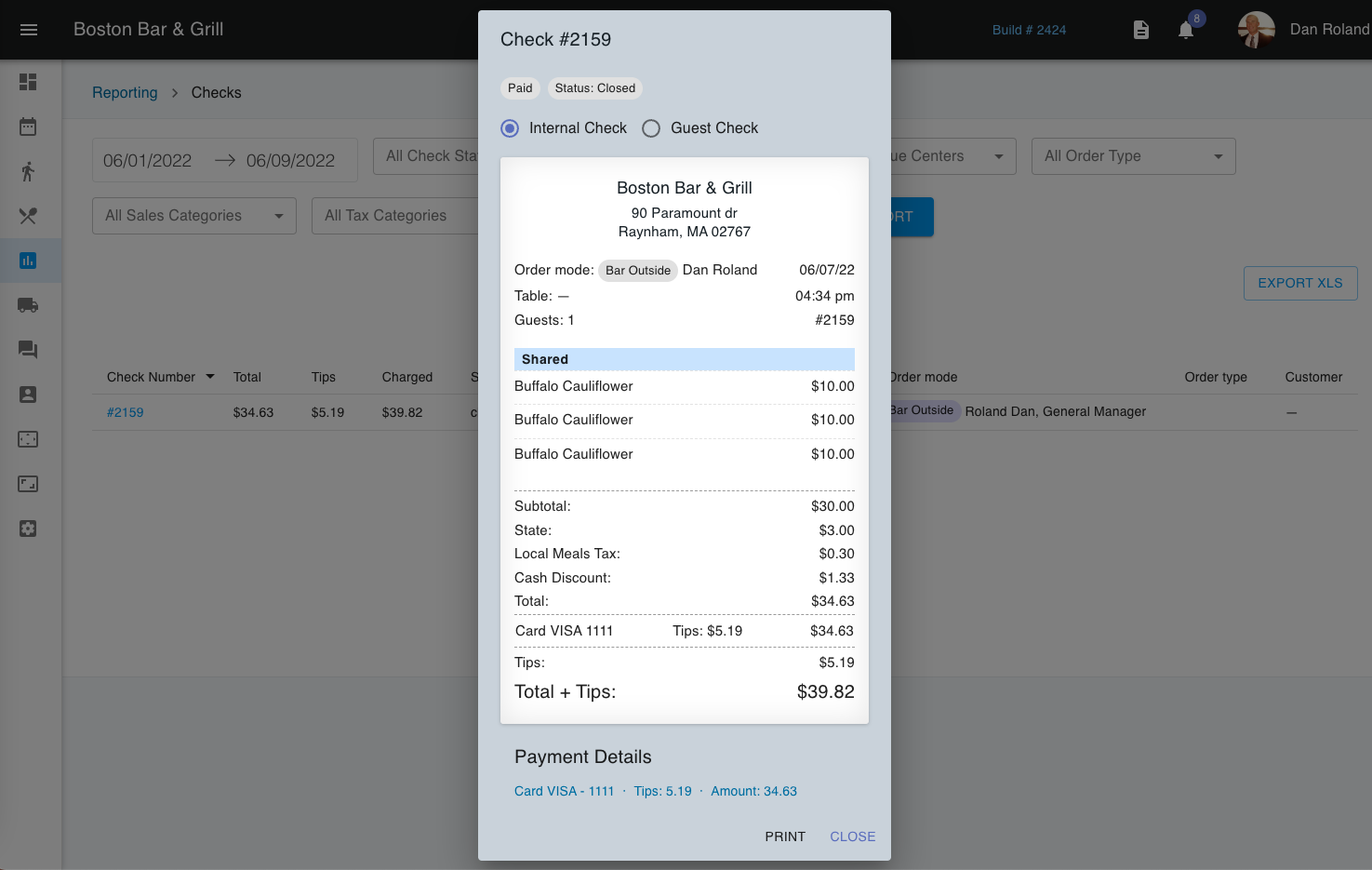
Clicking on these payment details, we can find more information on the transaction. Particularly the history and transaction ID are helpful when troubleshooting checks with customers. The transaction ID can be used to find checks that may need to be refunded post batch through the payment gateway. However, we are always available to help you navigate issues with the gateway processor. Call support at 888-996-8486 if you need assistance with your gateway processor.
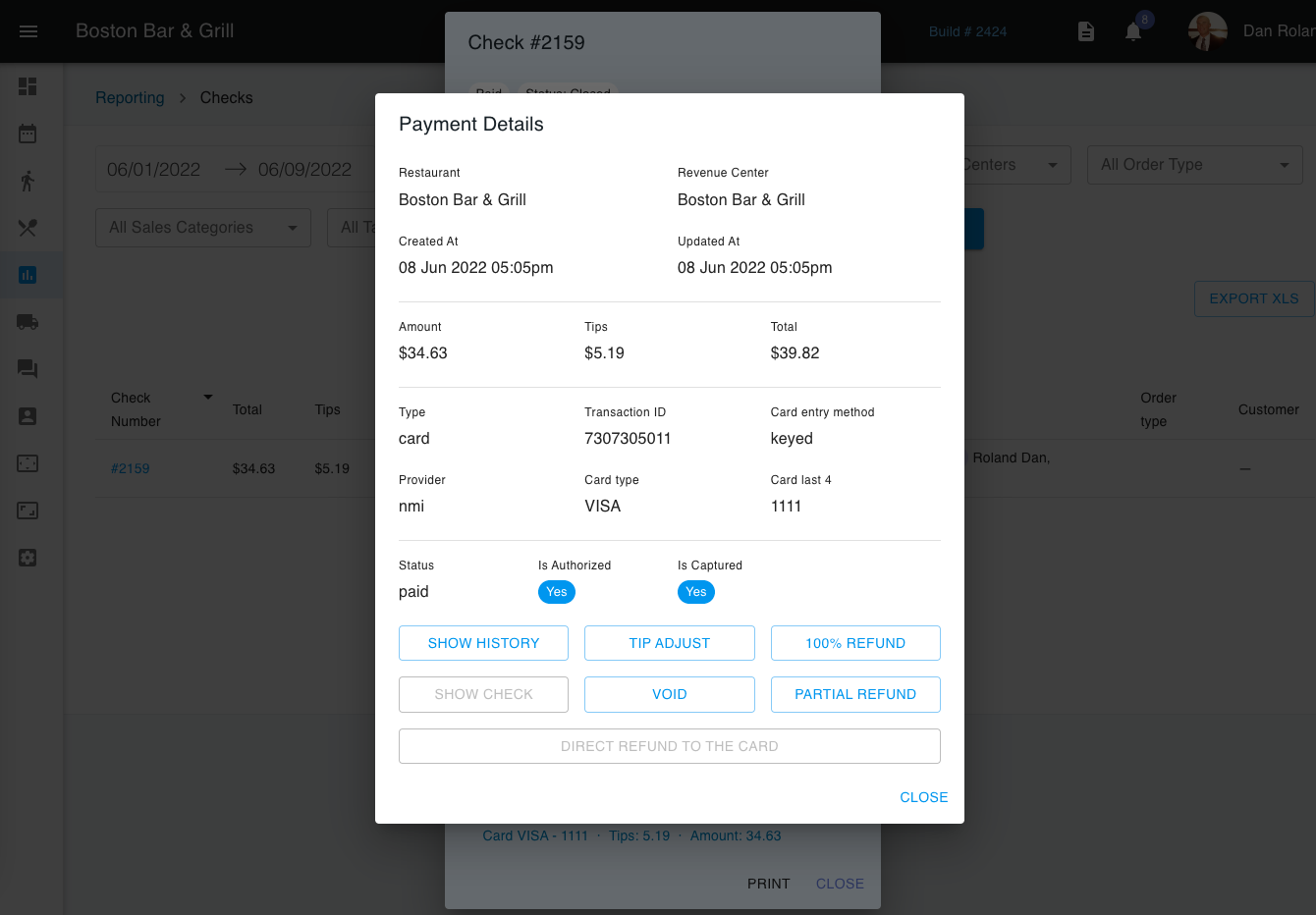
You can also look at transaction history to track any issues when processing the payment on a check. Additionally, we can adjust tips, refund, void, and partially refund checks from here. Same day checks are available for these adjustments in the POS as well.