- Help Center
- Katalyst POS
- Reservation Management
Marking a Reservation as a No-Show
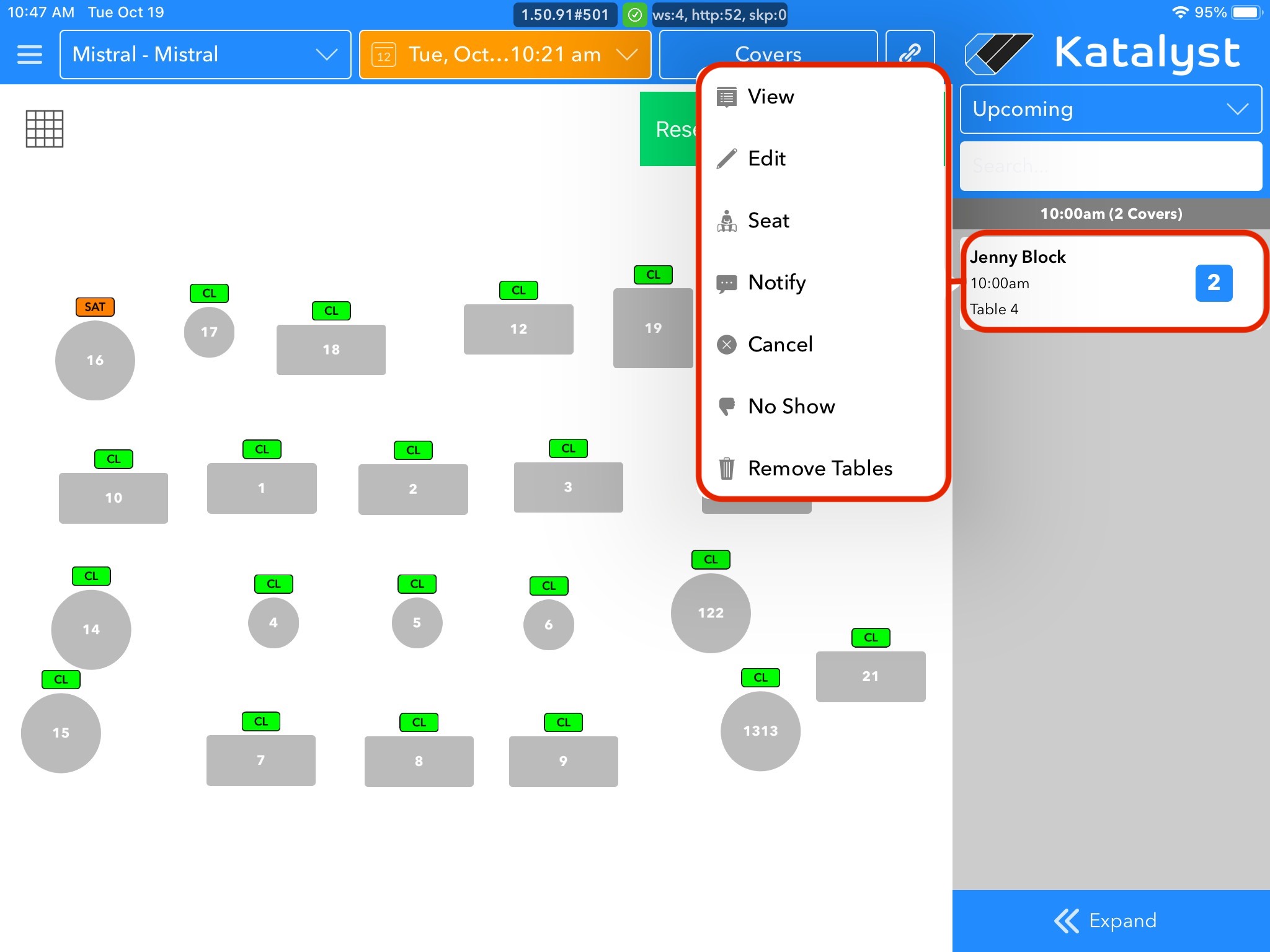
If there is a case where you have a reservation that does not show, marking them as a no-show is very simple. Simply find the reservation in the upcoming reservation menu and tap on it. A pop-up will appear to the left where we can tap no show, which is the second from the last option. The system will ask you to confirm your selection. Once you confirm, the reservation will be removed from the upcoming list.