To mark a party's status, first find the reservation in the upcoming or reservation bar to the right. Once you have found the reservation you would like to update, you will just tap on it. A pop-up will appear on the left. From here, you will click the first option which is View.
.jpg)
A pop-up will appear that shows your guest's details to the left. This outlines the guest's general reservation. To the right of that is where you will be able to view this guest's stats. Guest stats will be the quoted wait time, remaining time, time waited already, and the suggested table provided by the system. Below are more general stats about the customers, like how many times they have visited, how many reservations they have made, how many cancelations they have, and how many no shows they have.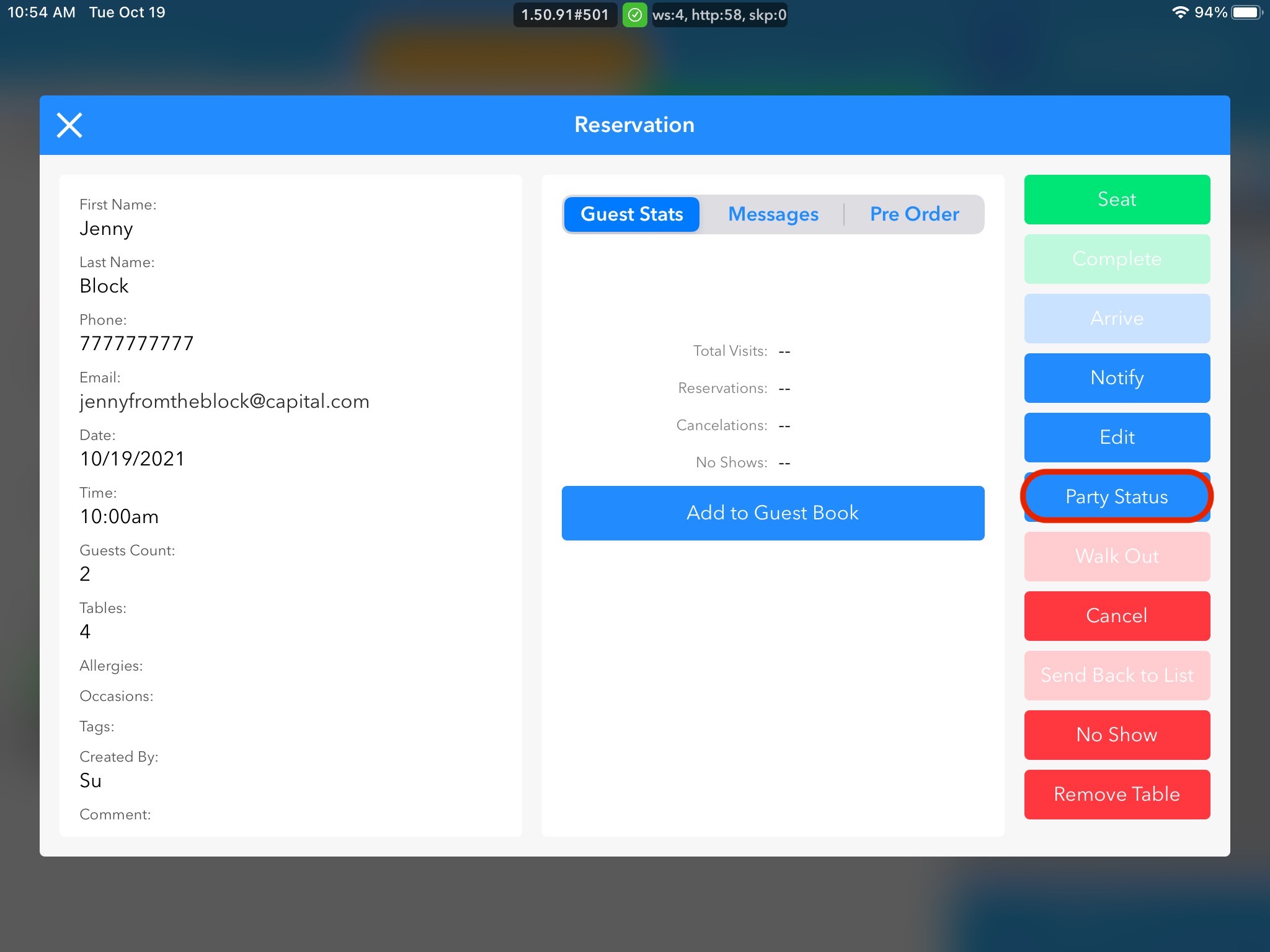
To the right of the guest, are stats where we are able to update the customer status. From here, to update their status, we will want to look at the blue button options which are arrive, notify, edit, and party status. For the purposes of this training block, we will click into party status.
Once we do this we will have the option to choose:
- Awaiting Response
- Confirmed
- Late
- Partial Arrival
- Arrived
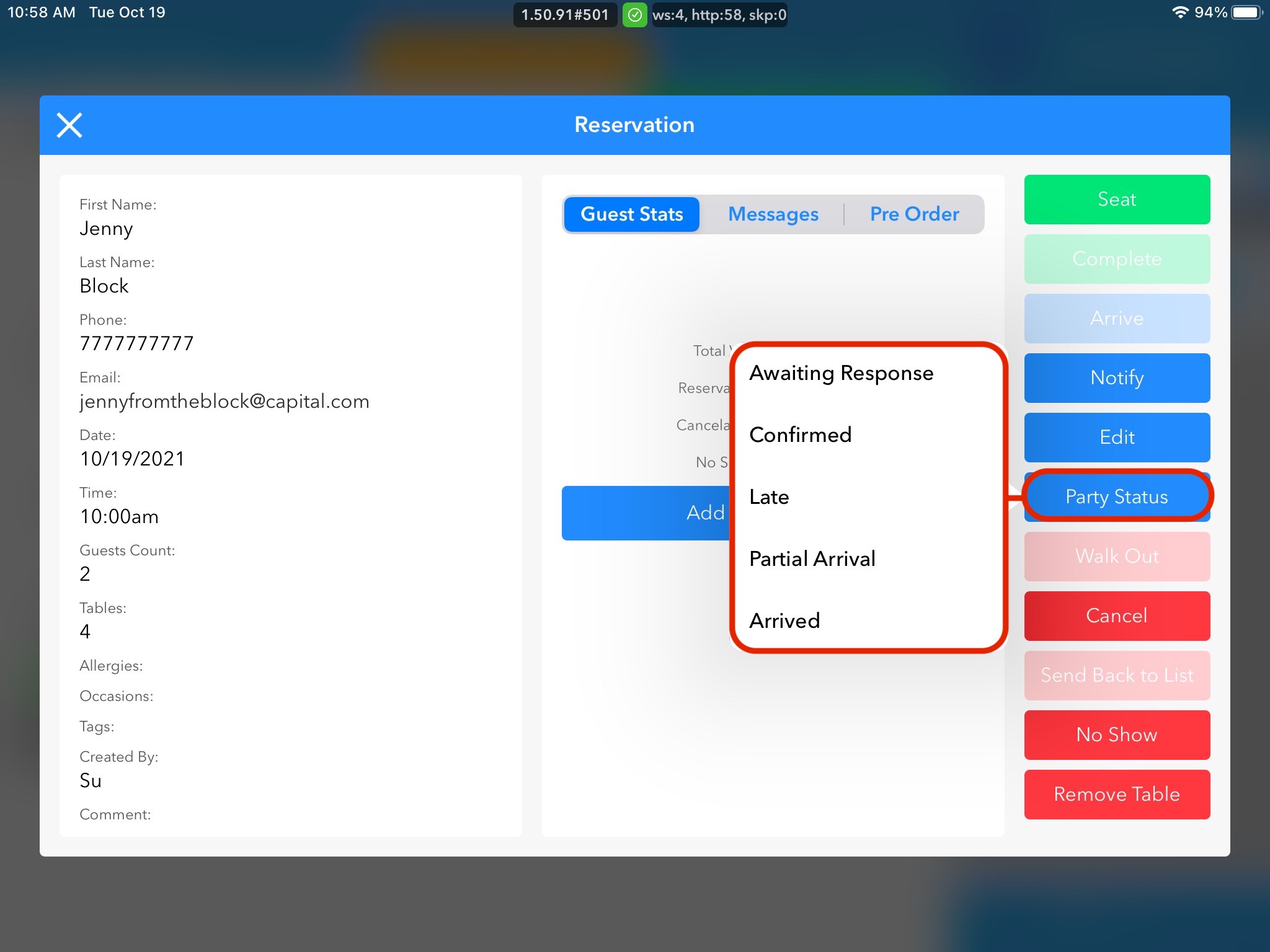
Awaiting response and confirmation should be used when calling to confirm reservations. Not every restaurant will utilize this feature.