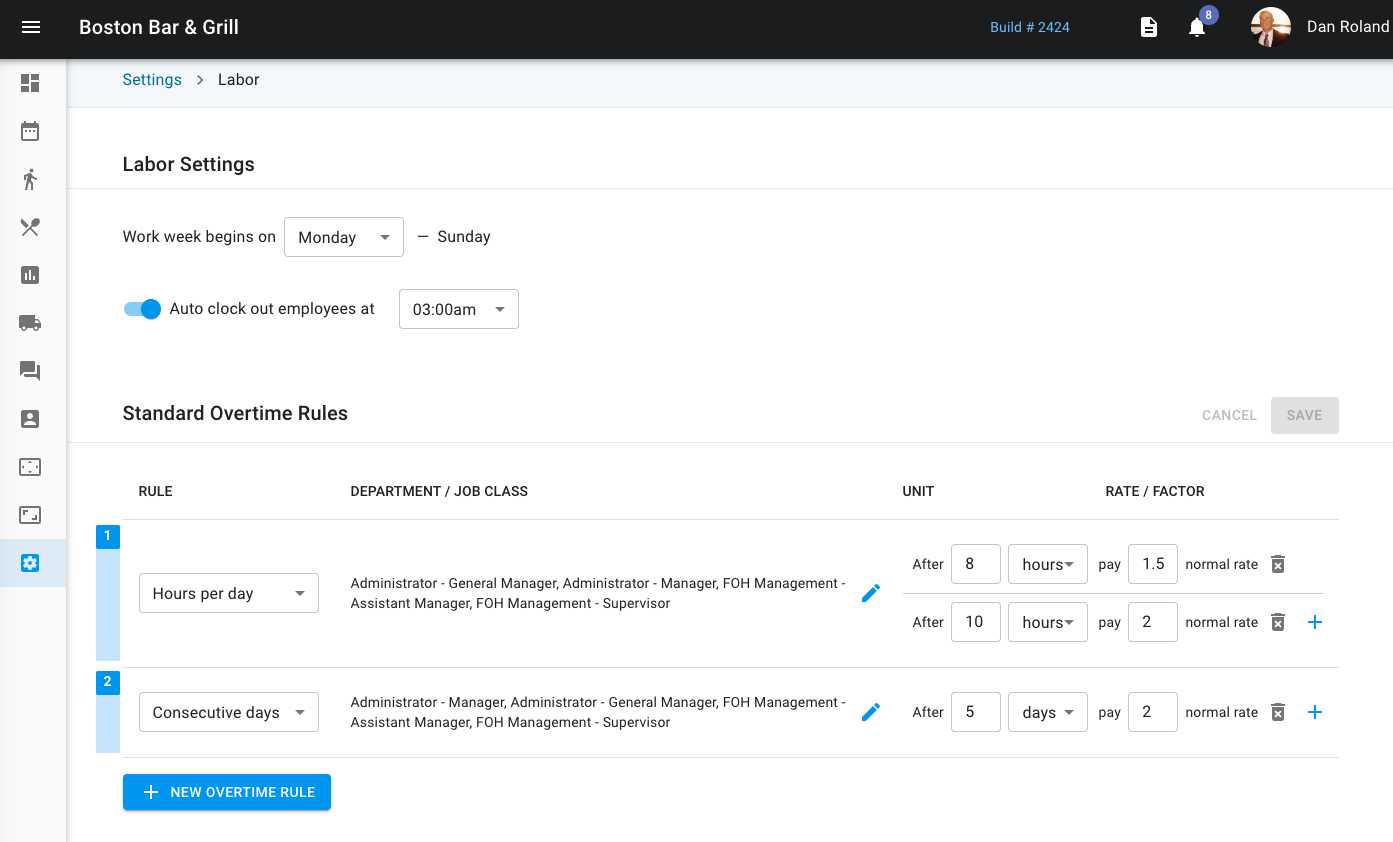
Labor settings allow you to set up your workweek - in this case, the workweek for Byron Bay Tap and Grill is set from Sunday through Saturday.
You can also use an auto clock out setting that forces all employees to clock out by a specific time frame. This will force any employee time card still open to close in order to avoid too many issues.
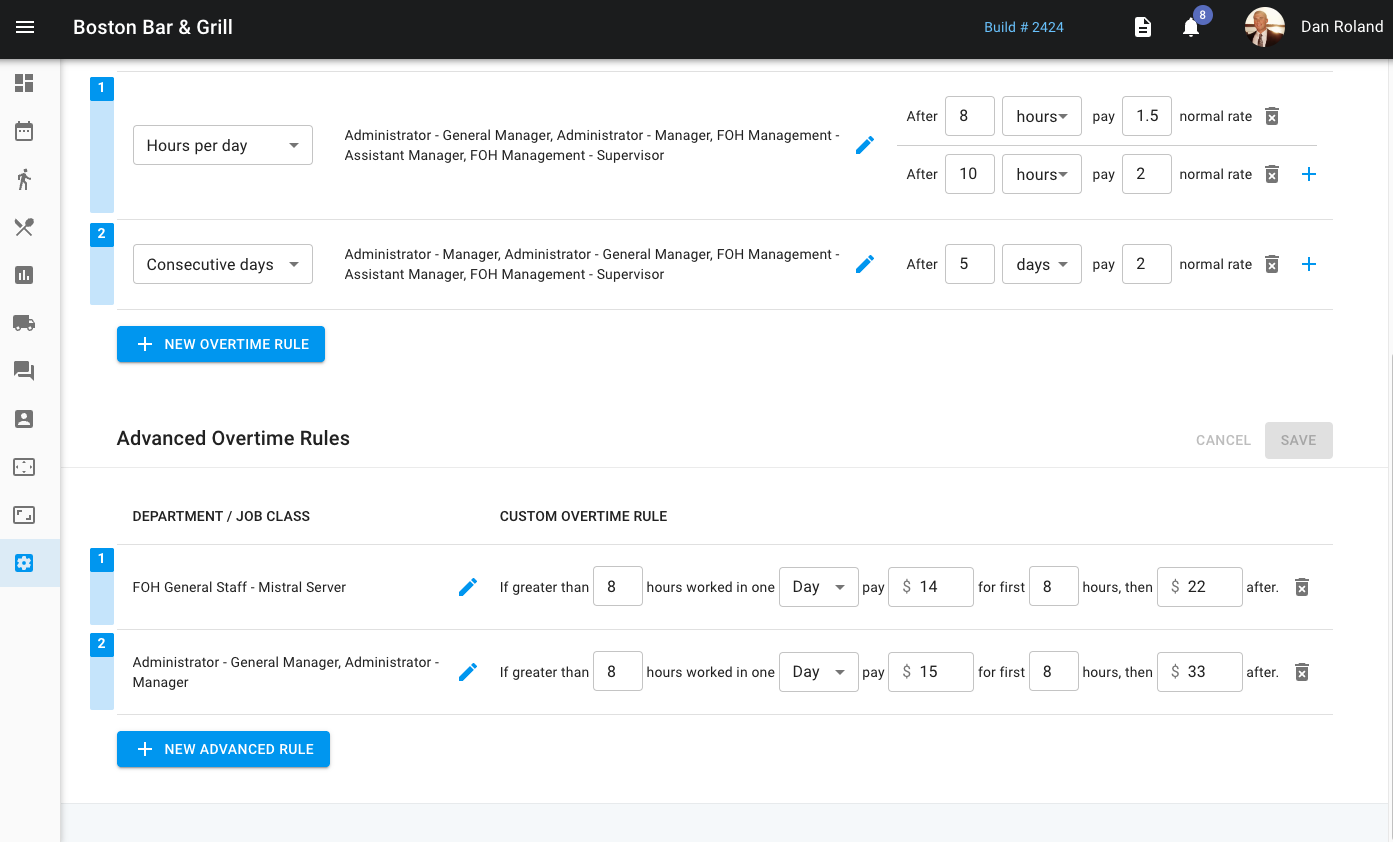
You can also create overtime rules within the system. You can do this through standard over time or advanced overtime rules.
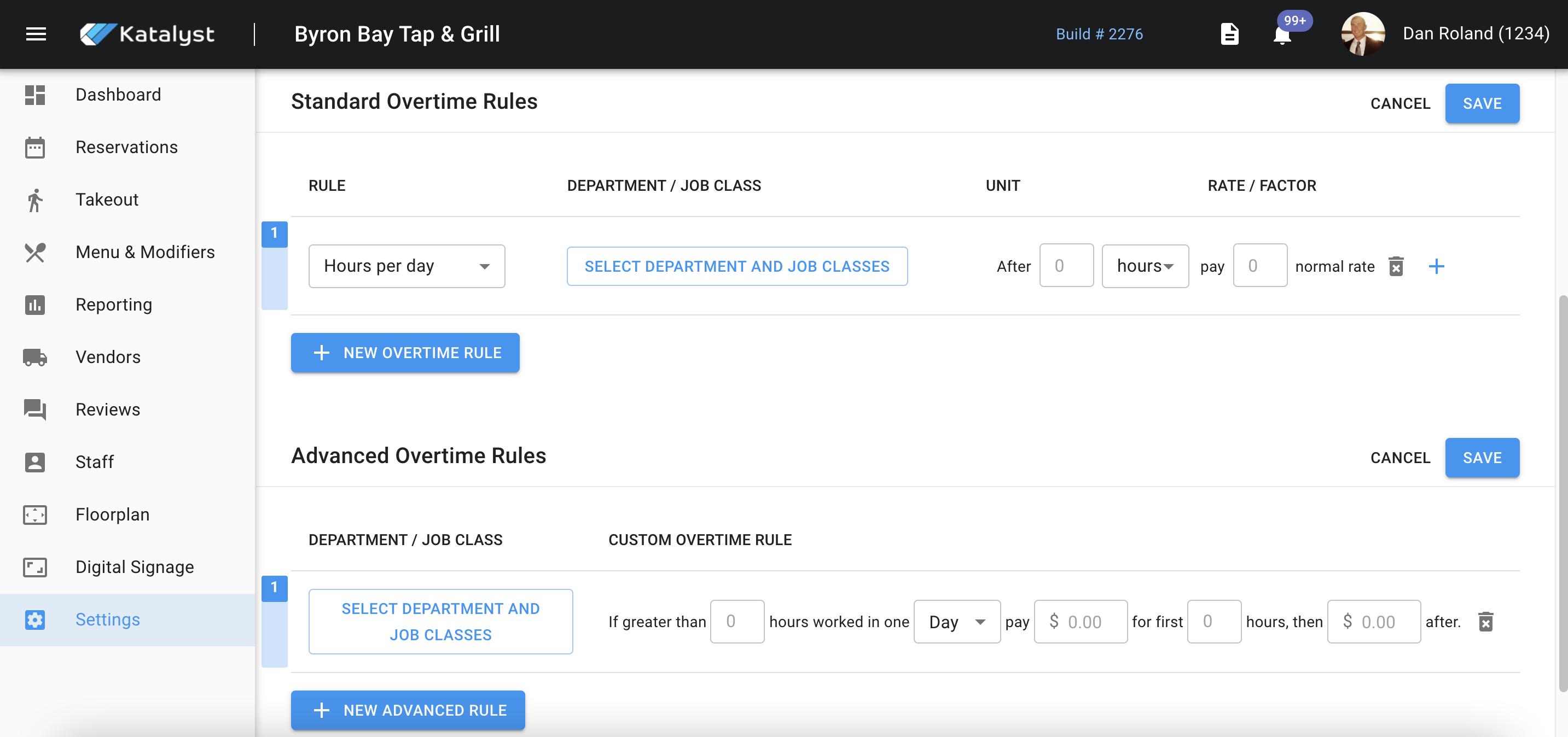
These settings are slightly different. Standard overtime rules allow you to set rules on hours per day, per week, or consecutive days. You're able to assign job classes that are eligible for these rules, when the rule would go into effect, and finally the pay. This setting reports back to labor.
Advanced overtime rules follow the same concept except this setting can set up the rules to roll into a new rule after a certain point. For example, say for the job class of General Manager they work 40 hours a week normally, but the Assistant Manager is sick and won't be in all week. If the GM surpasses 40 hours in the week (a preset), their time and half rate will be X dollar amount for the first 10 hours. After those 50 hours, the rate may increase to double overtime at a new rate.