If Your Employees are Unable to See Order Modes, They May not be Linked Correctly. This Usually Happens with Newly Added Staff
Check to make sure that your order modes are linked or unlinked - this happens sometimes if you're newly set-up. You will need to get linked up with the correct order modes.
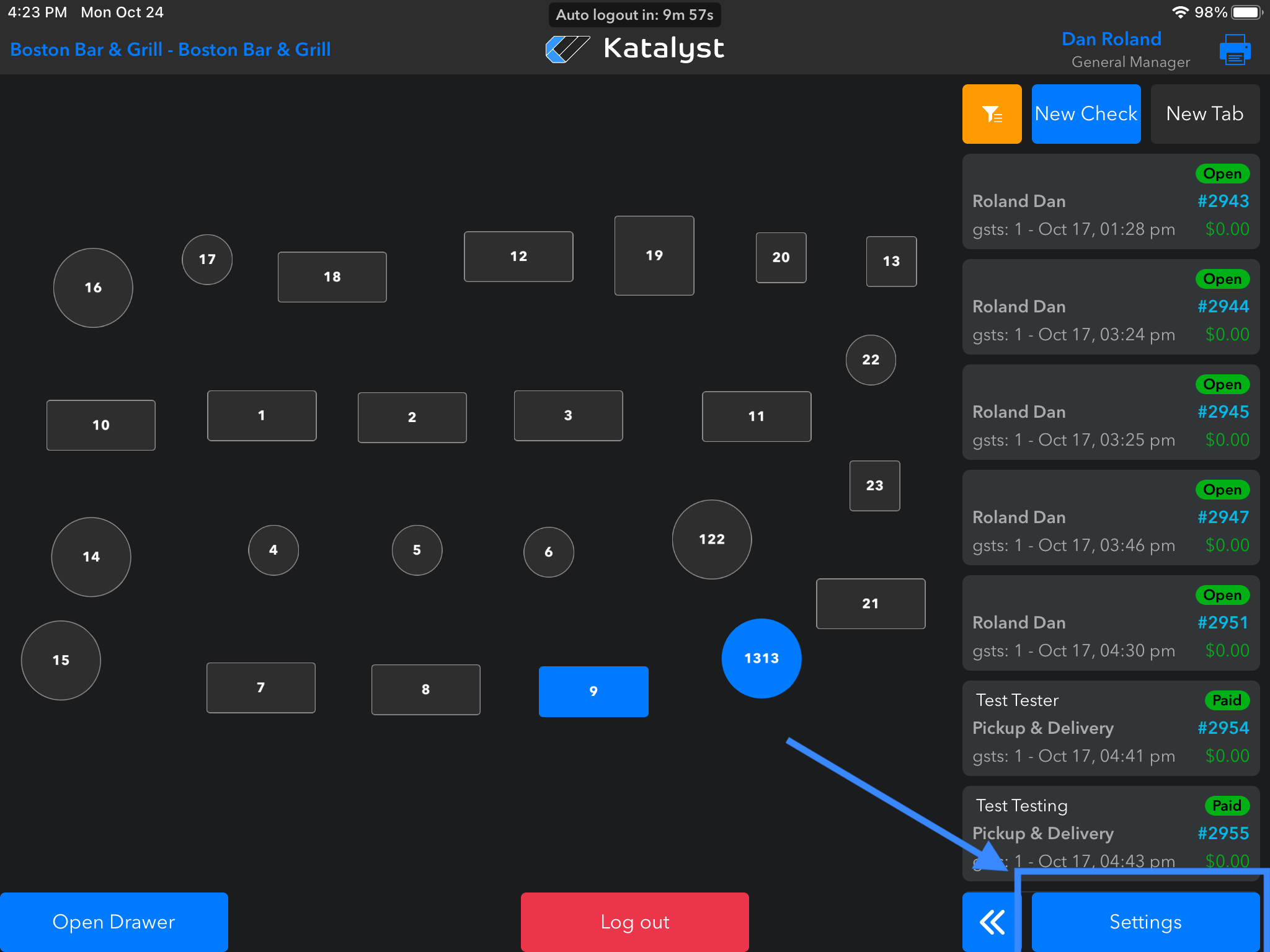
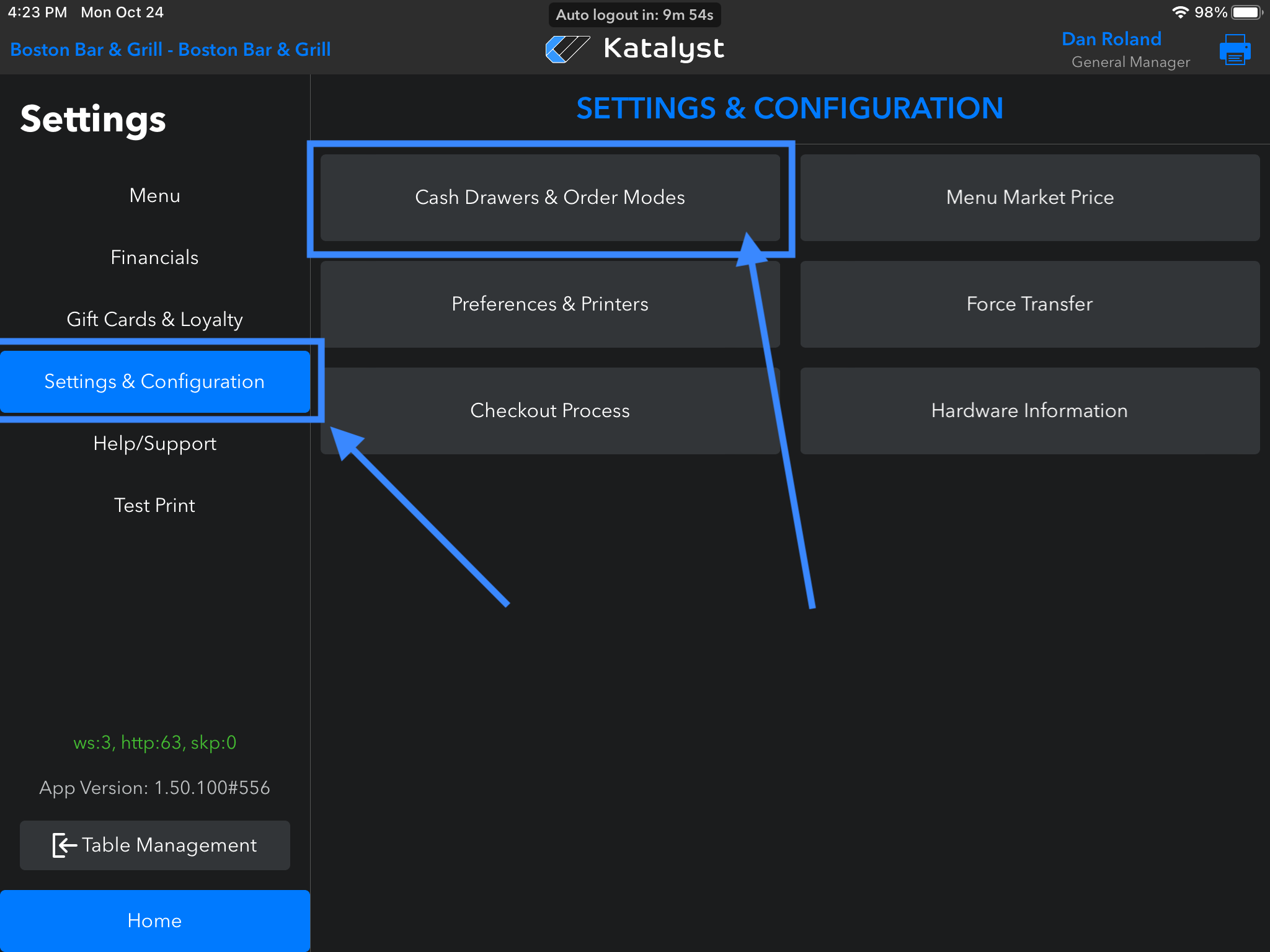
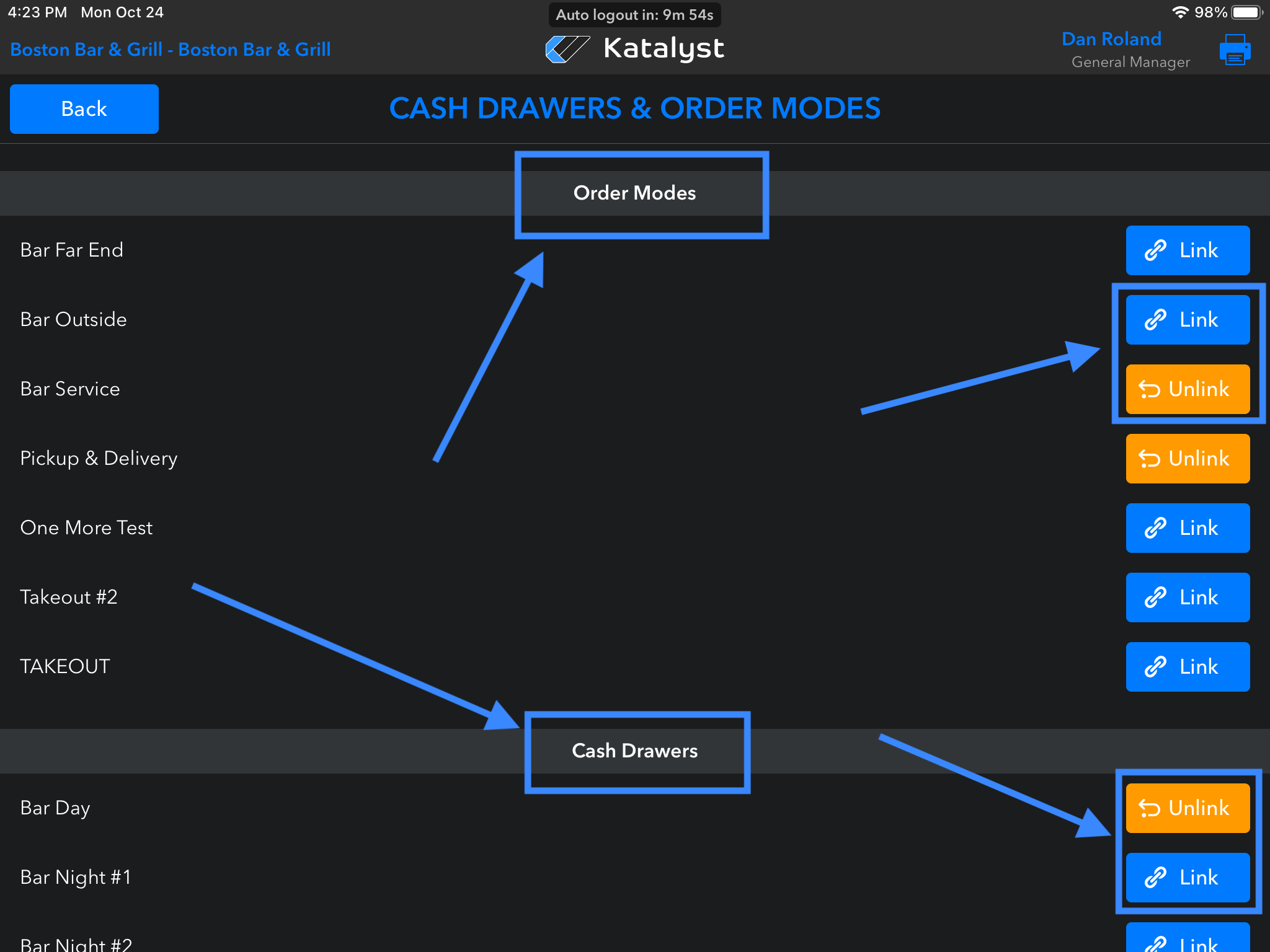
In the POS go to Settings > Settings & Configuration > Cash Drawers & Order Modes. Then scroll through and Link/Unlink correct Order Modes and Cash Drawers.
If there are any Modes/Drawers showing blue, you are not connected to them yet. Tap on each one and it will turn active and orange.
Go back to the POS main screen and tap the name in the top right to verify those modes are there. Next, tap to enter that Order Mode.
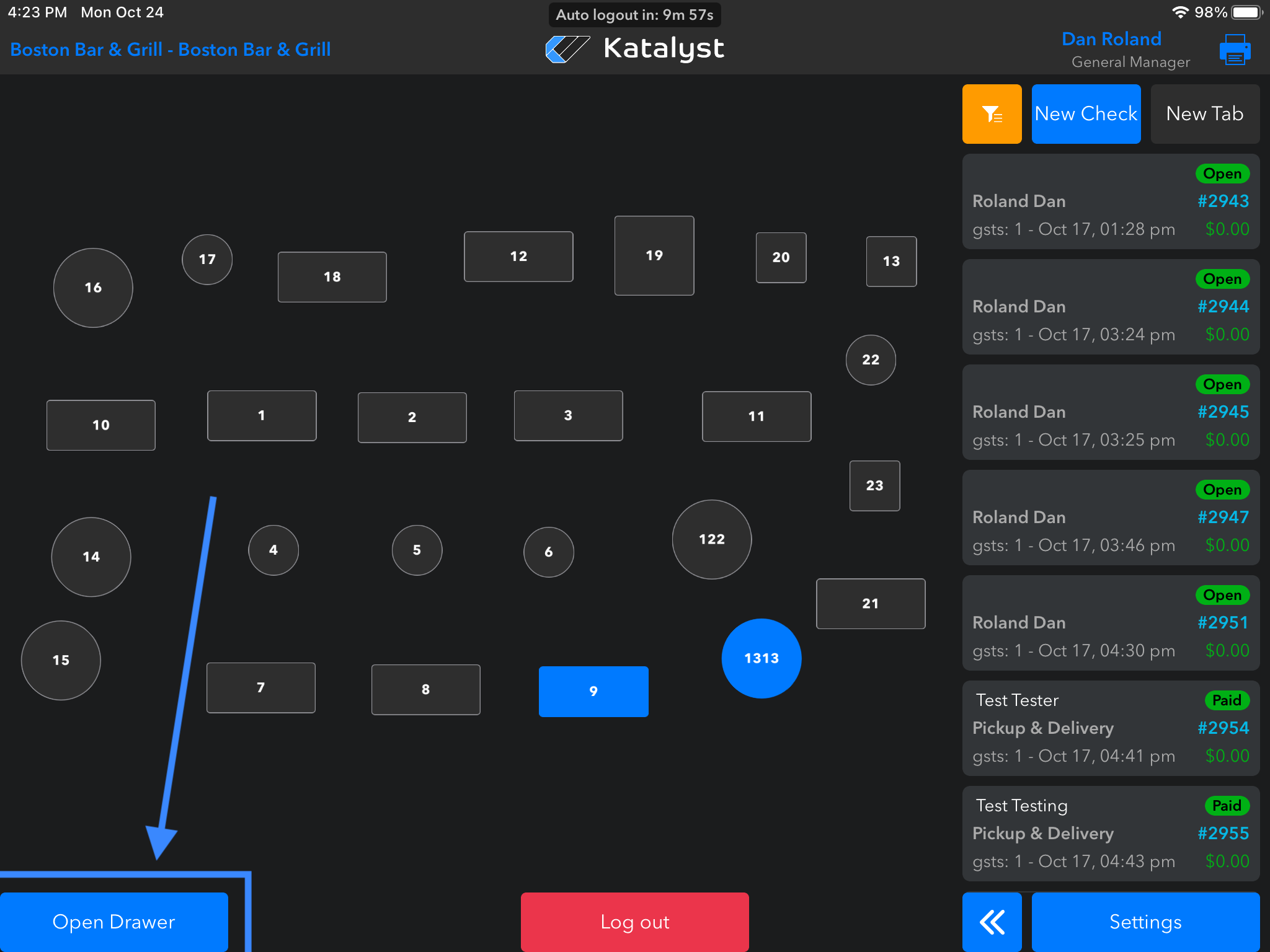
For Cash Drawer verification, tap Open Drawer on the POS Home Screen.