- Help Center
- Katalyst POS
- Reservation Management
How to Get to Reservation Management
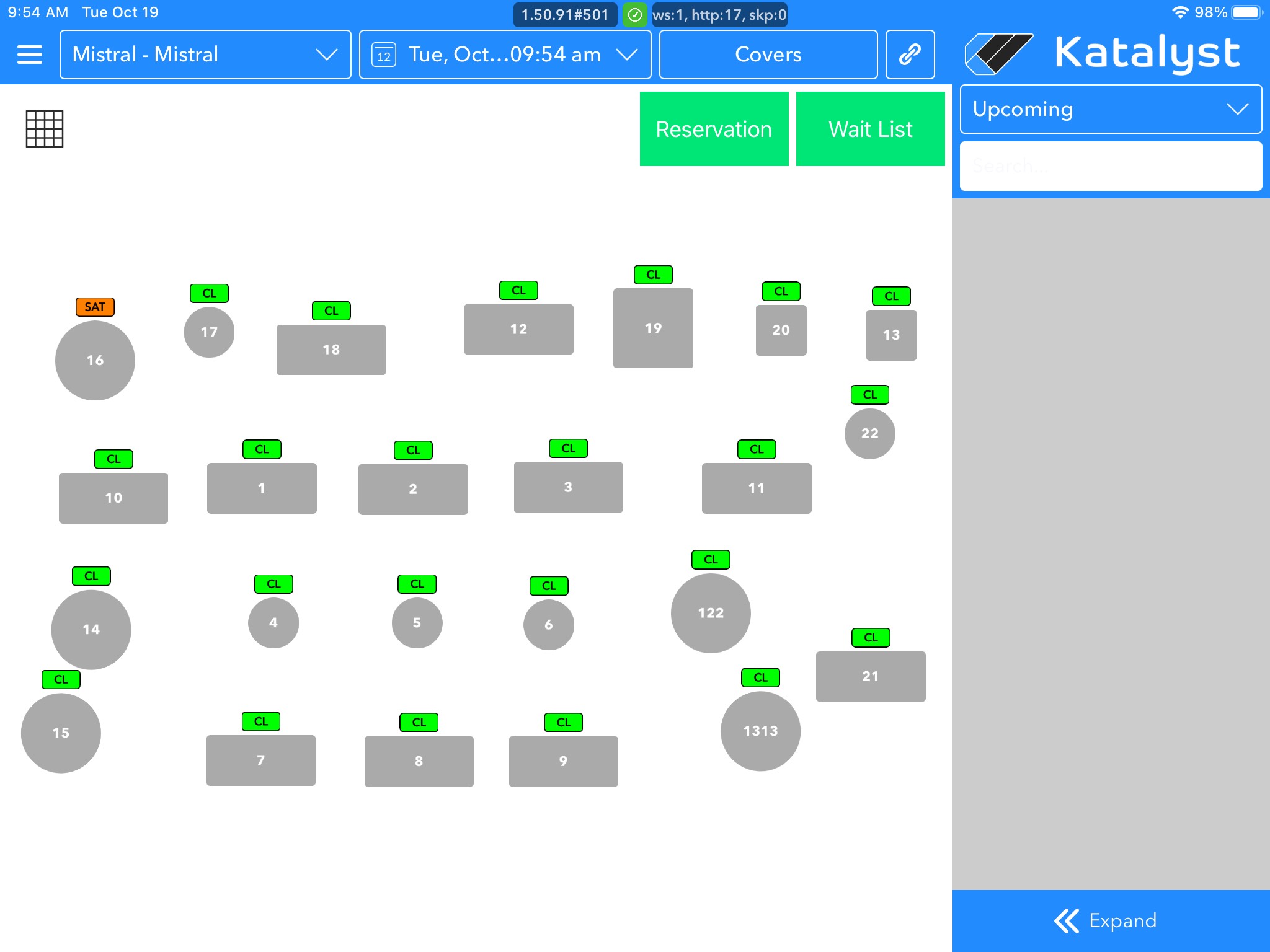
From Reservation Management, you're able to manage the floor from one screen.
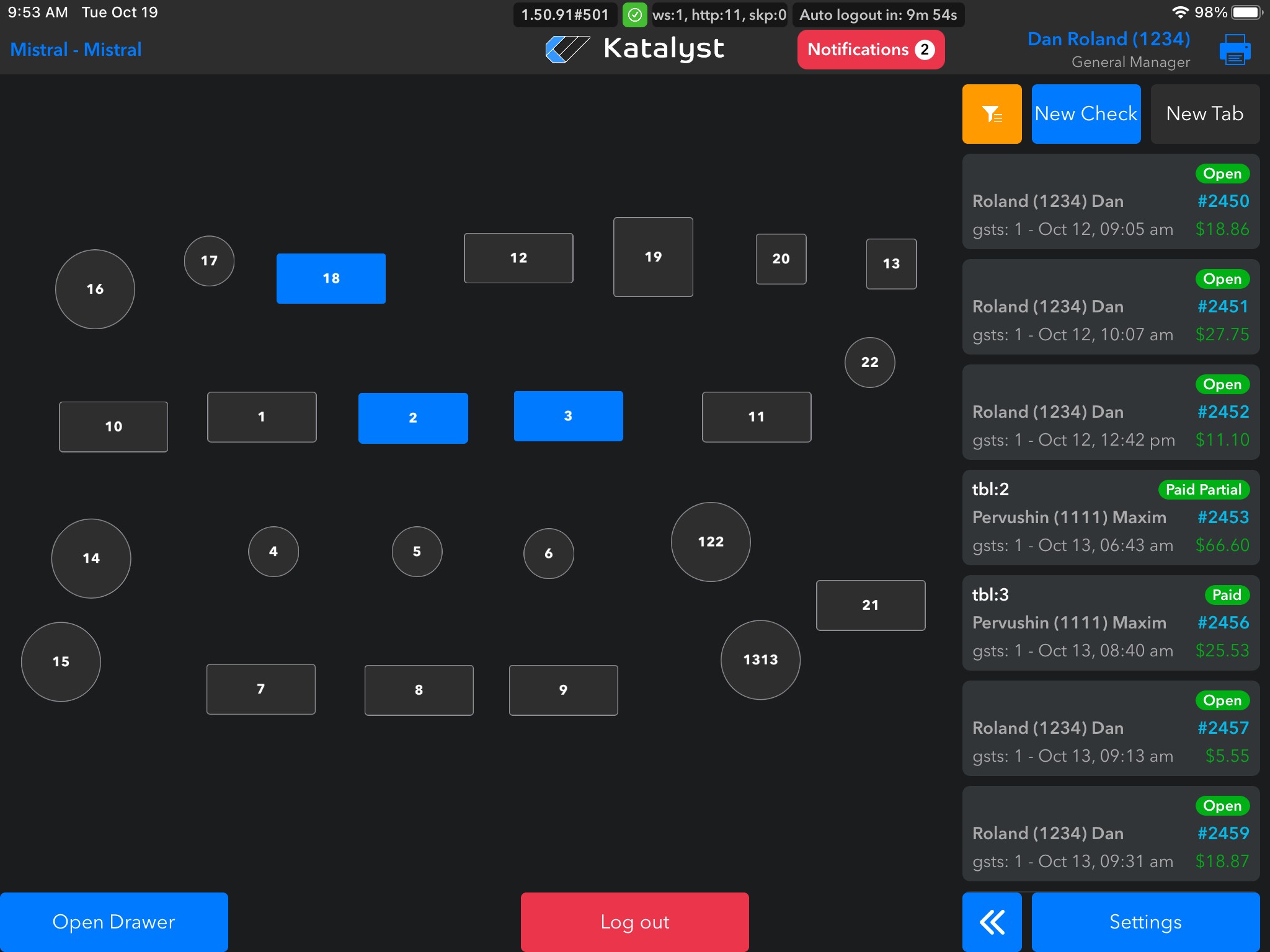
To get to the table management screen, you will need to click Settings in the bottom right-hand corner.
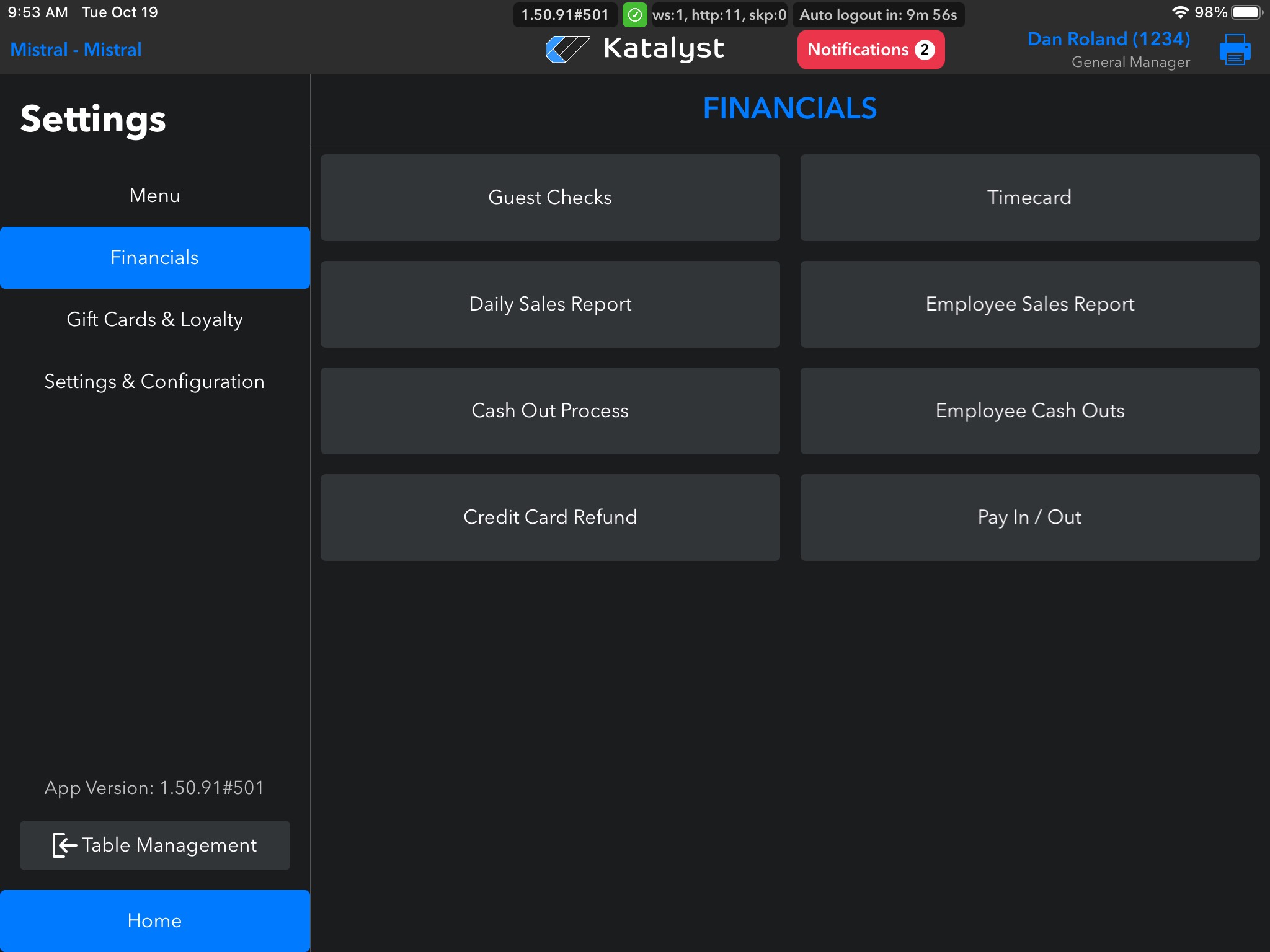
You will see Table Management located at the bottom left. Click here to enter table management.
The table management page shows you all the tables, color-coded sections, as well as future reservations.