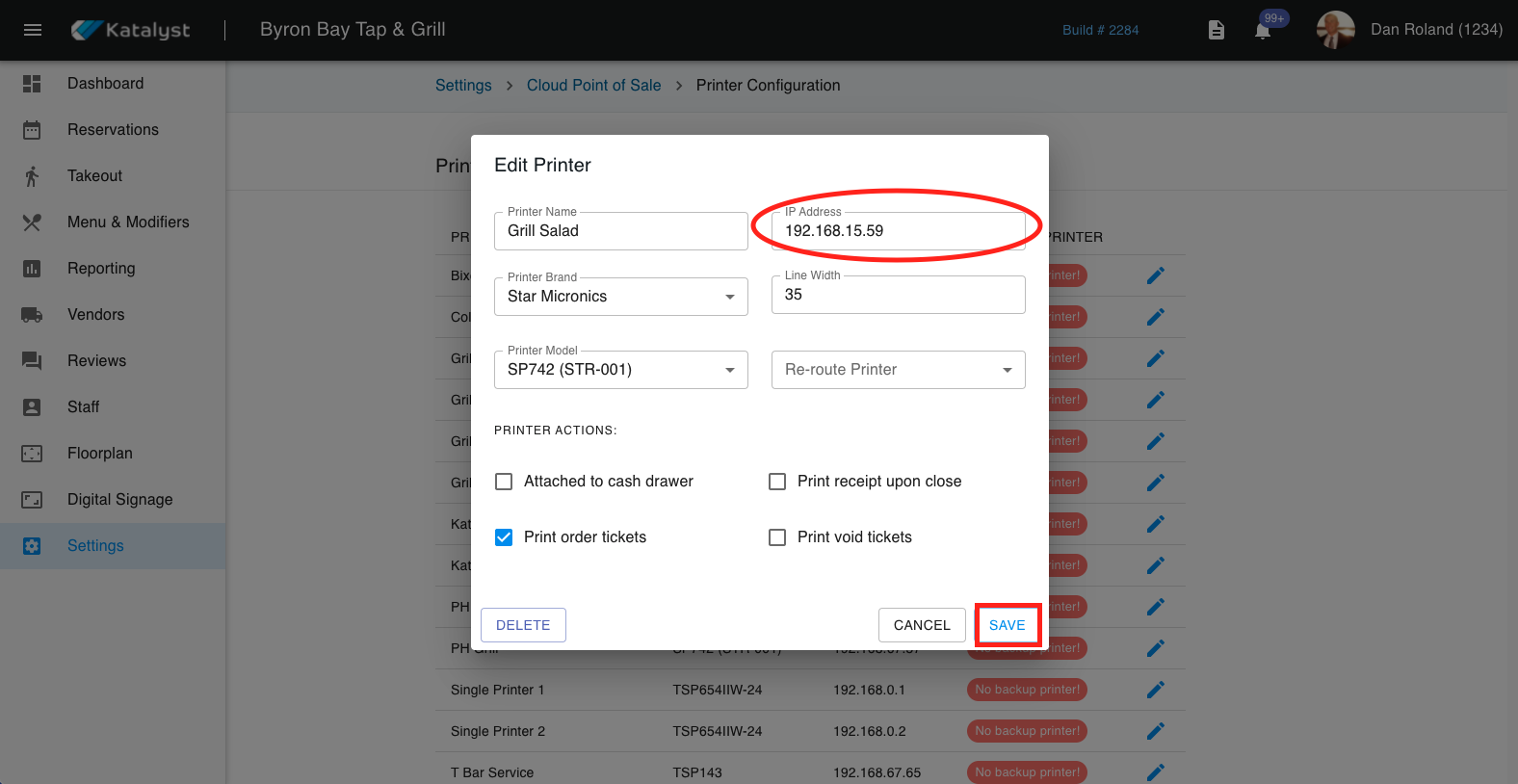
In order for the POS software to print to your kitchen and guest printers, the IP address must be correctly entered into the web side portal. This IP will usually only change if you have a dynamic network or if there is a disruption in connection
Once the IP address has been retrieved from the printer follow these steps to update/set-up your IP address:
1. In the Admin portal click on Settings > Cloud Point of Sale > Printer Configuration
2. Once you have identified the correct printer, check and make sure that the IP address matches the one on the slip. If they do not match click on the edit pencil 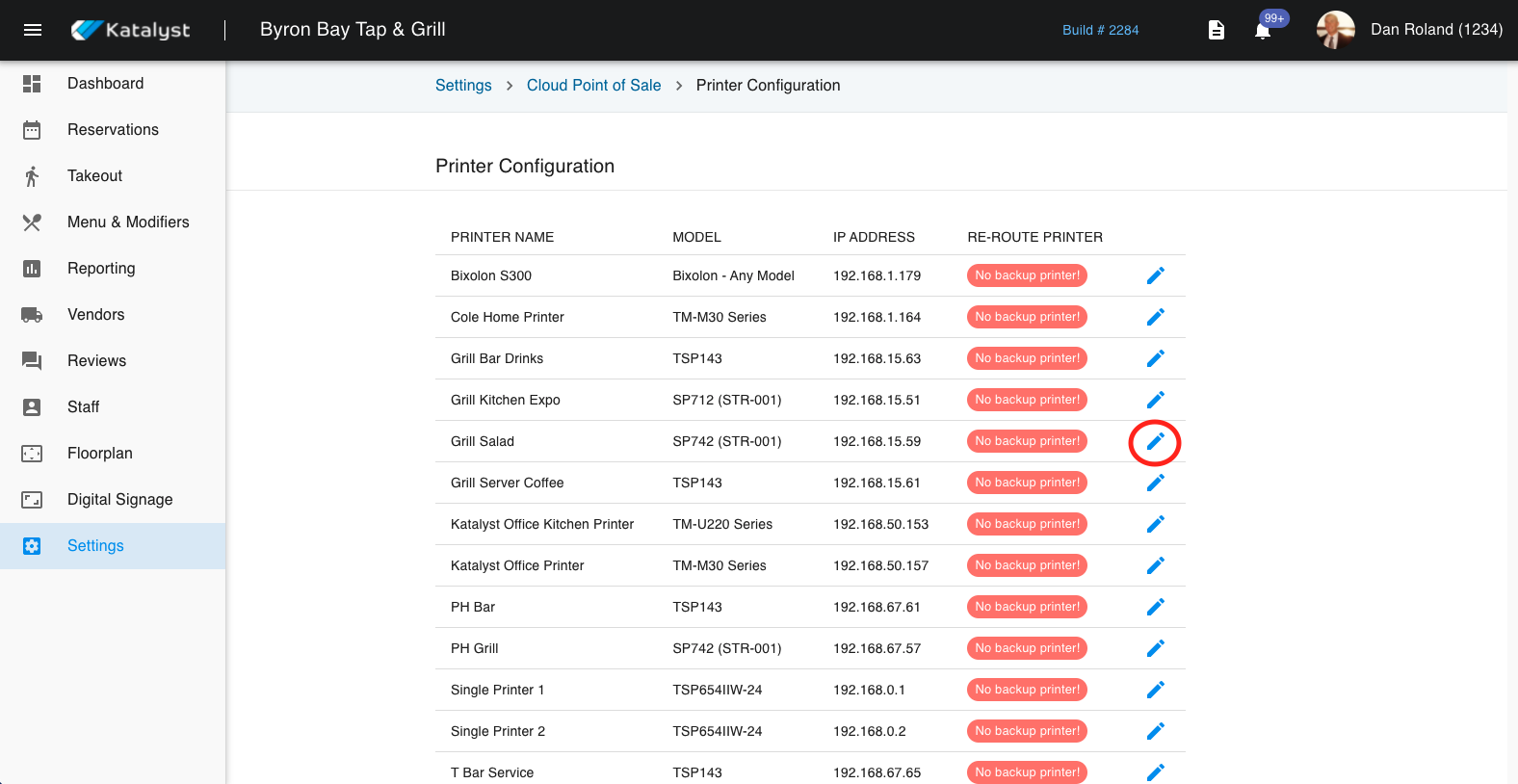
3. Once you click on the edit pencil, you will see a pop-up. From here edit the IP address and click save