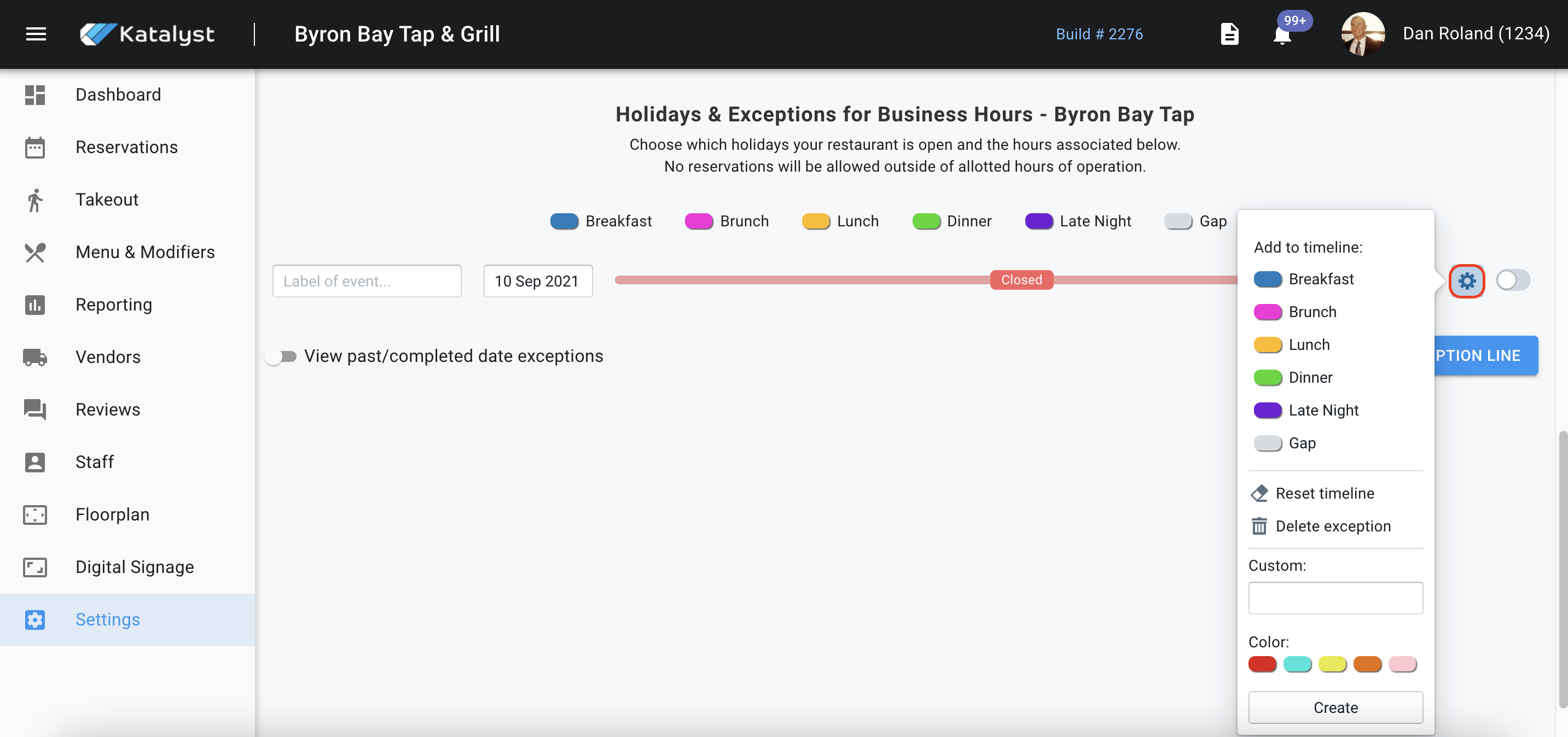
Hours of Operation is the hub for your restaurant's hours. Here, it is important to make sure that you are setting the hours for the correct revenue center. Once you are on the correct revenue center, you will need to choose what portion of the hour you want to edit. Here, we can see that hours have been divided up into actual business hours, reservation hours, pickup hours, delivery hours, and table turn guidelines.
Hours can be adjusted by moving the slider.
Table turn guidelines is not hours setting, but rather the estimated time a table should take depending on headcount from being sat to check close. These are helpful for table management.
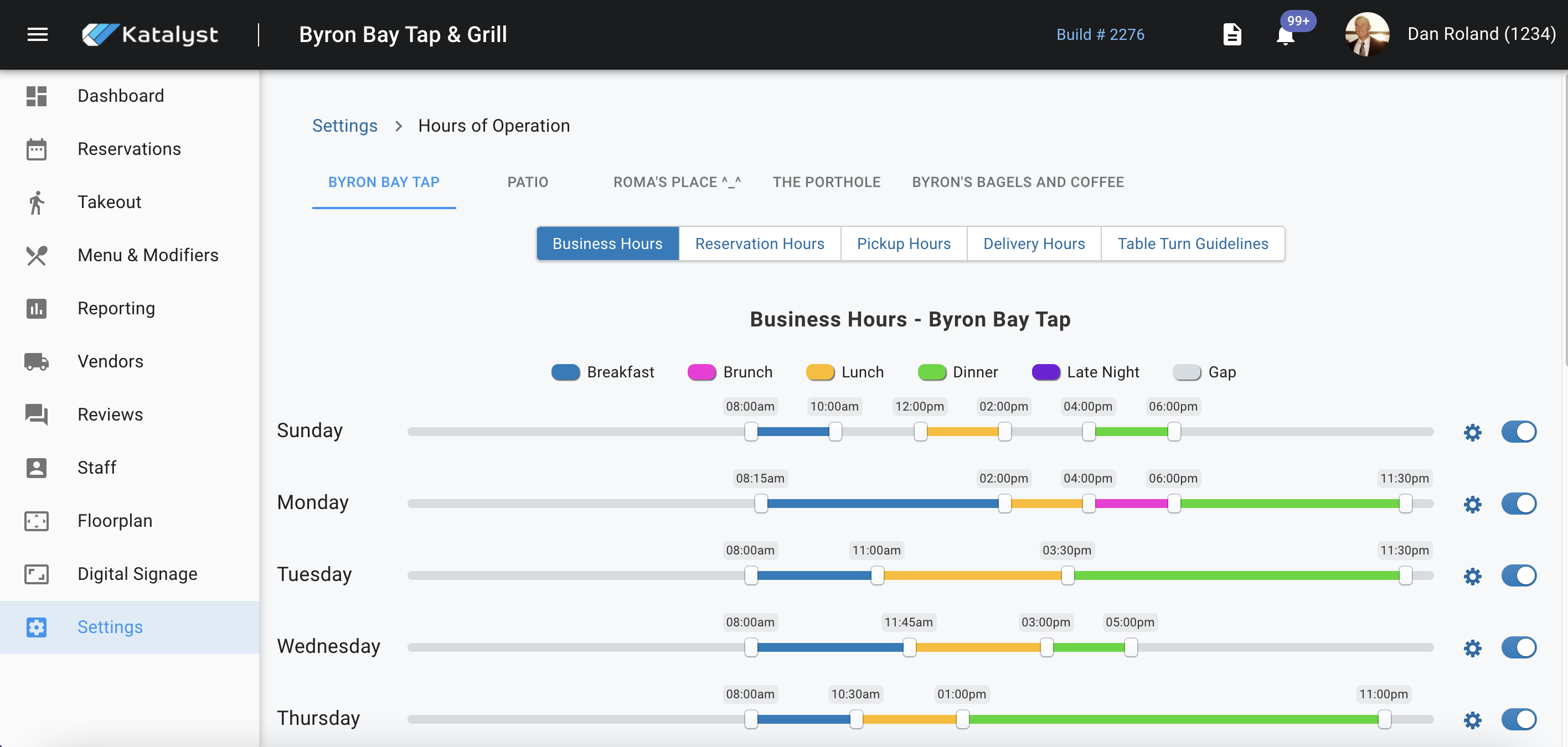
Exceptions are any holiday hours. You can set up a label for the event and the date of event implementation.
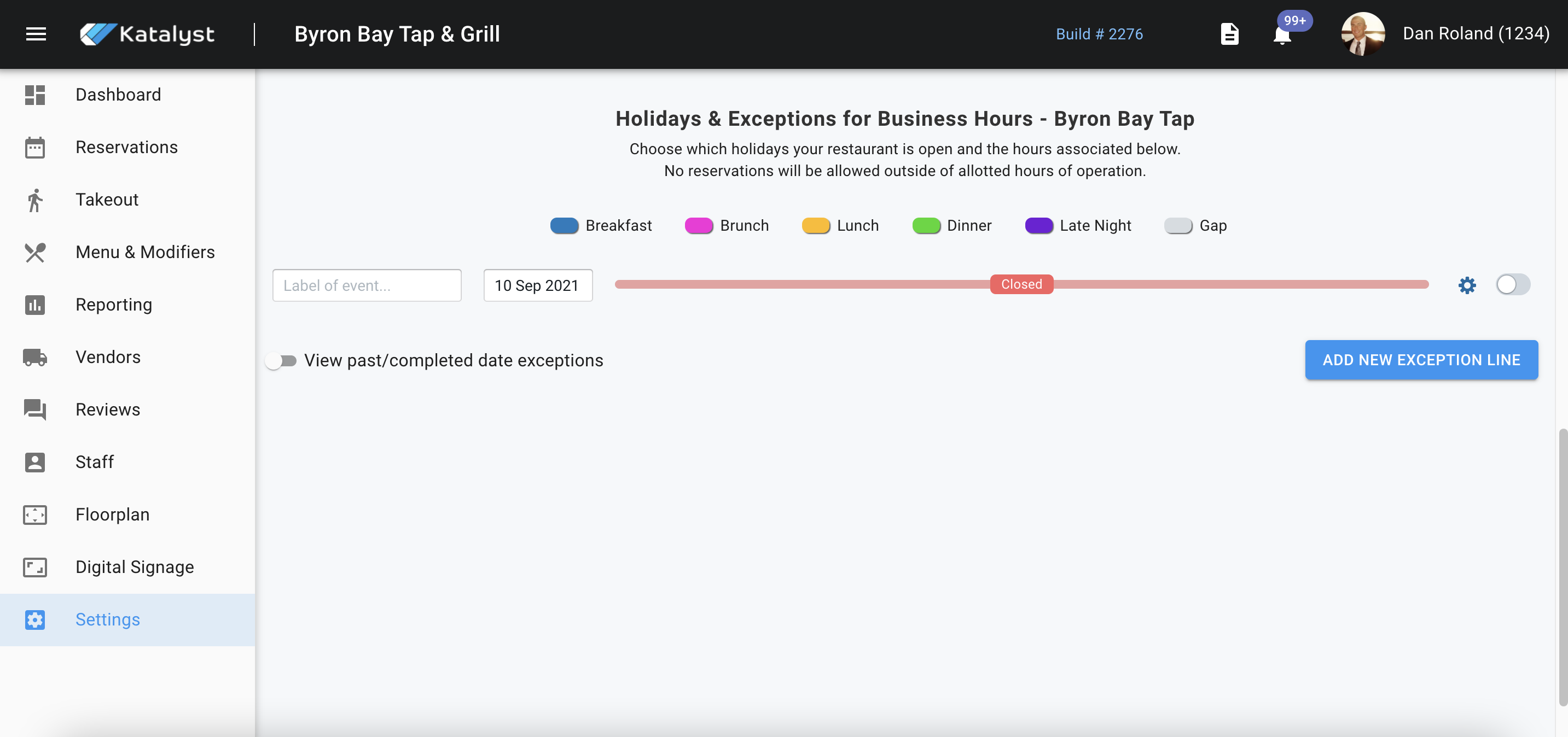
From settings, you can edit your hours in a couple of different ways. A new exception line will automatically show as red with a closed marker on it. If you want to just edit your hours for that day, for example say you want to be late on New Years, you can switch the toggle to show "Normal hours" on the timeline. Then, you can click into the settings gear and just apply, for example, lunch and dinner hours while leaving breakfast out, to indicate a late open. From here you can also reset work you have done on the timeline, delete the timeline, or create a customer marker.