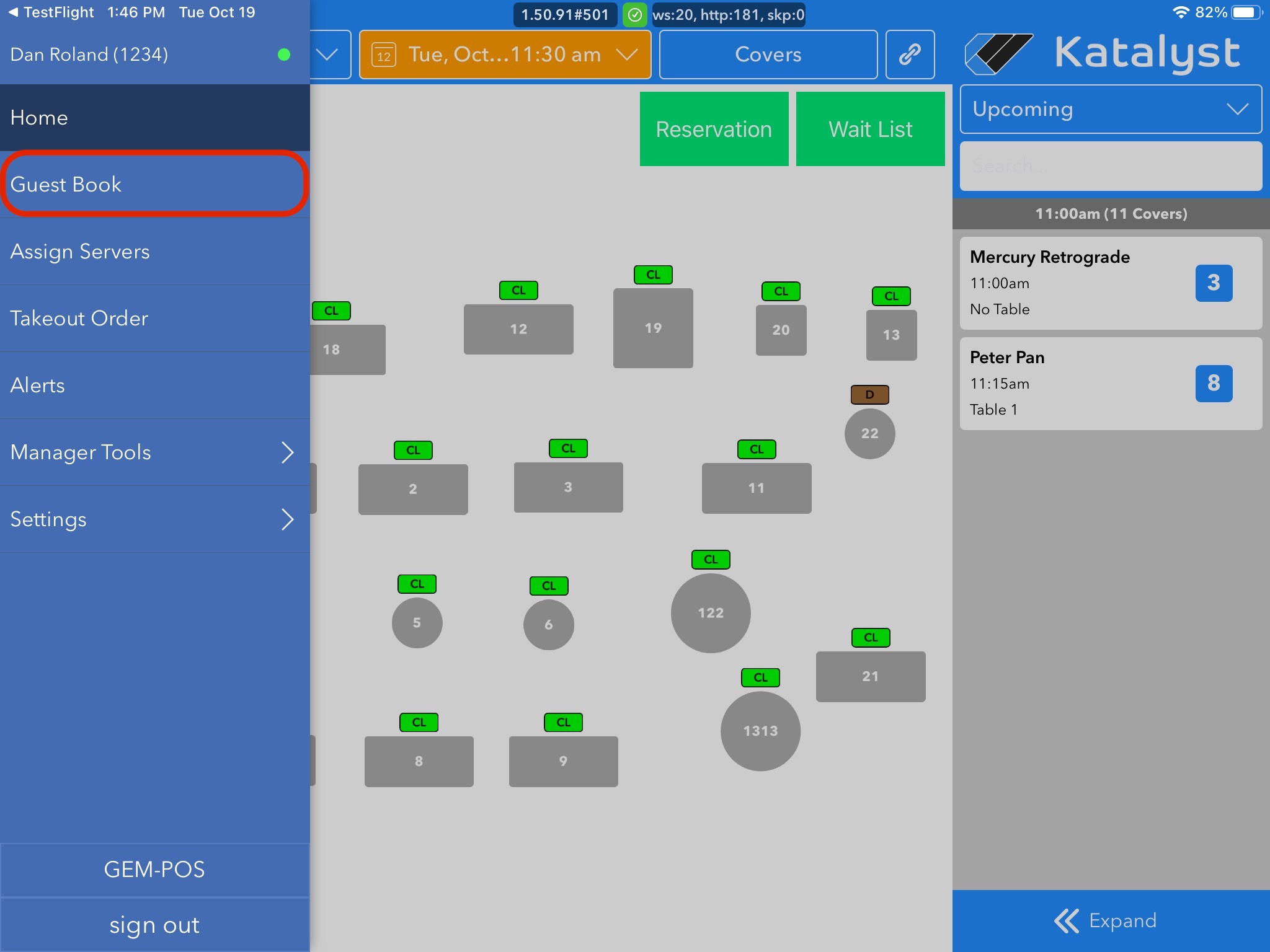
The Guest Book is where you're able to see all guests that have ever been put into the system. To access this you should open the menu to the left by either sliding the screen in from the left or by clicking on the hamburger icon drop down menu. Once you see the menu, click Guest Book.
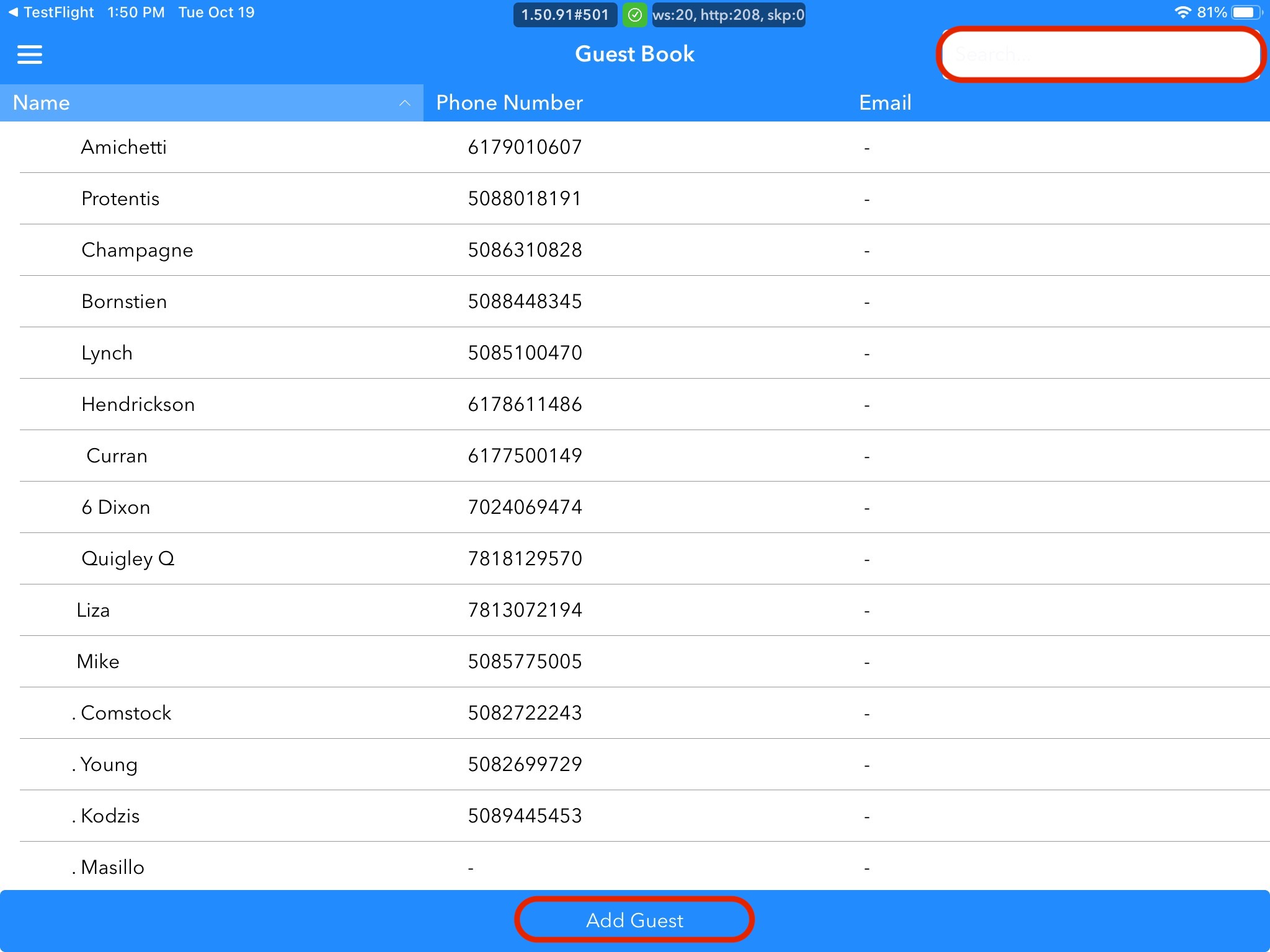
To the right is a quick search bar that you can use to look for existing guests or you may add a new guest using the Add Guest bar at the bottom of the screen.
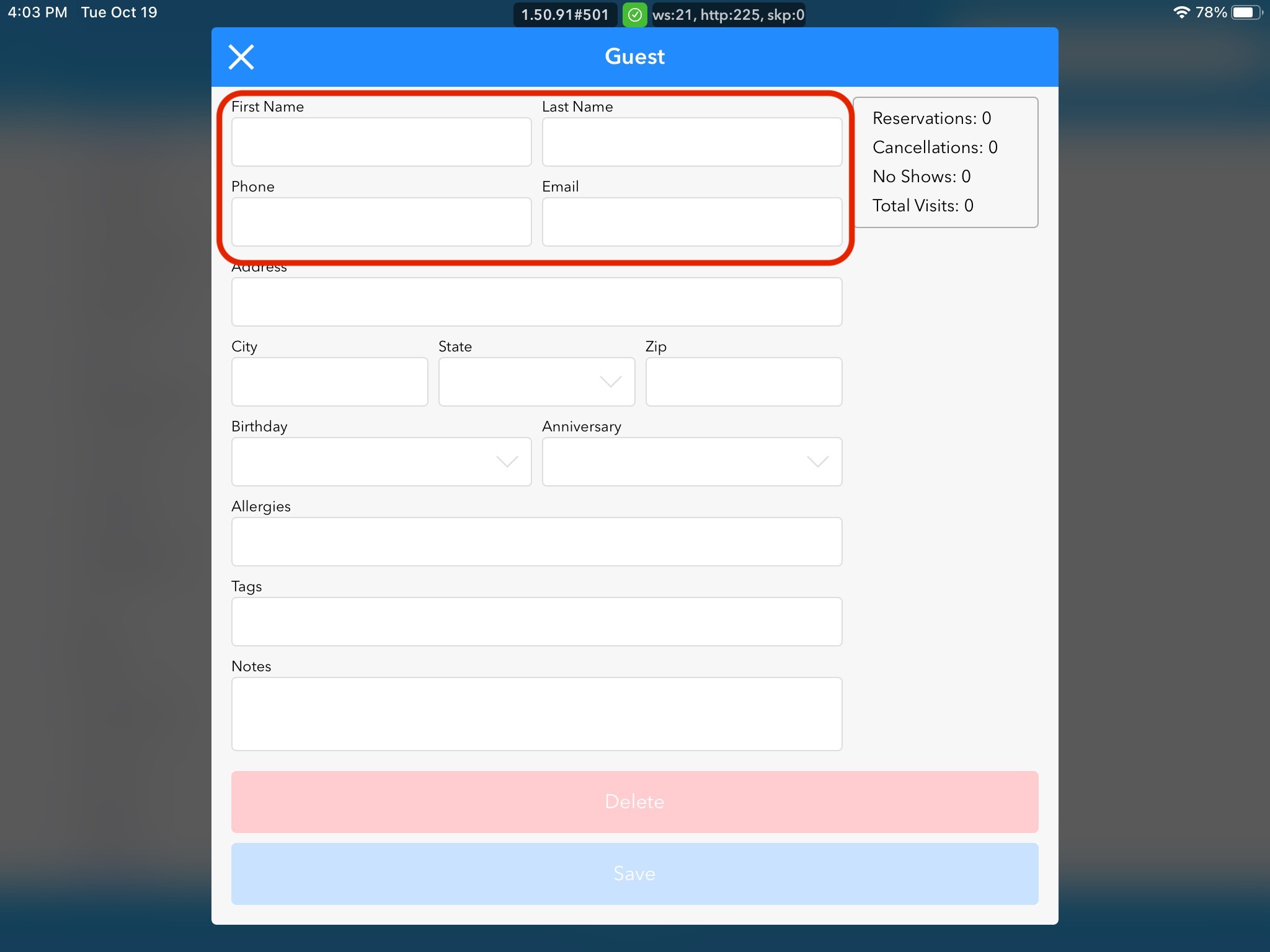
When you click on Add Guest, a pop-up will appear that will allow you to enter all the new guest details. You must enter first, last, and phone or email. All other information is optional.