In order to help manage the flow of your floor-plan, you are able to manually change the status of each individual table on the floor-plan to coincide with the lifecycle of each reservation and party. To manage Table Statuses, follow the steps below:
1. On the main Revenue Center floor-plan view, tap and long-hold on a specific table. You will see a small black menu appear above the table.
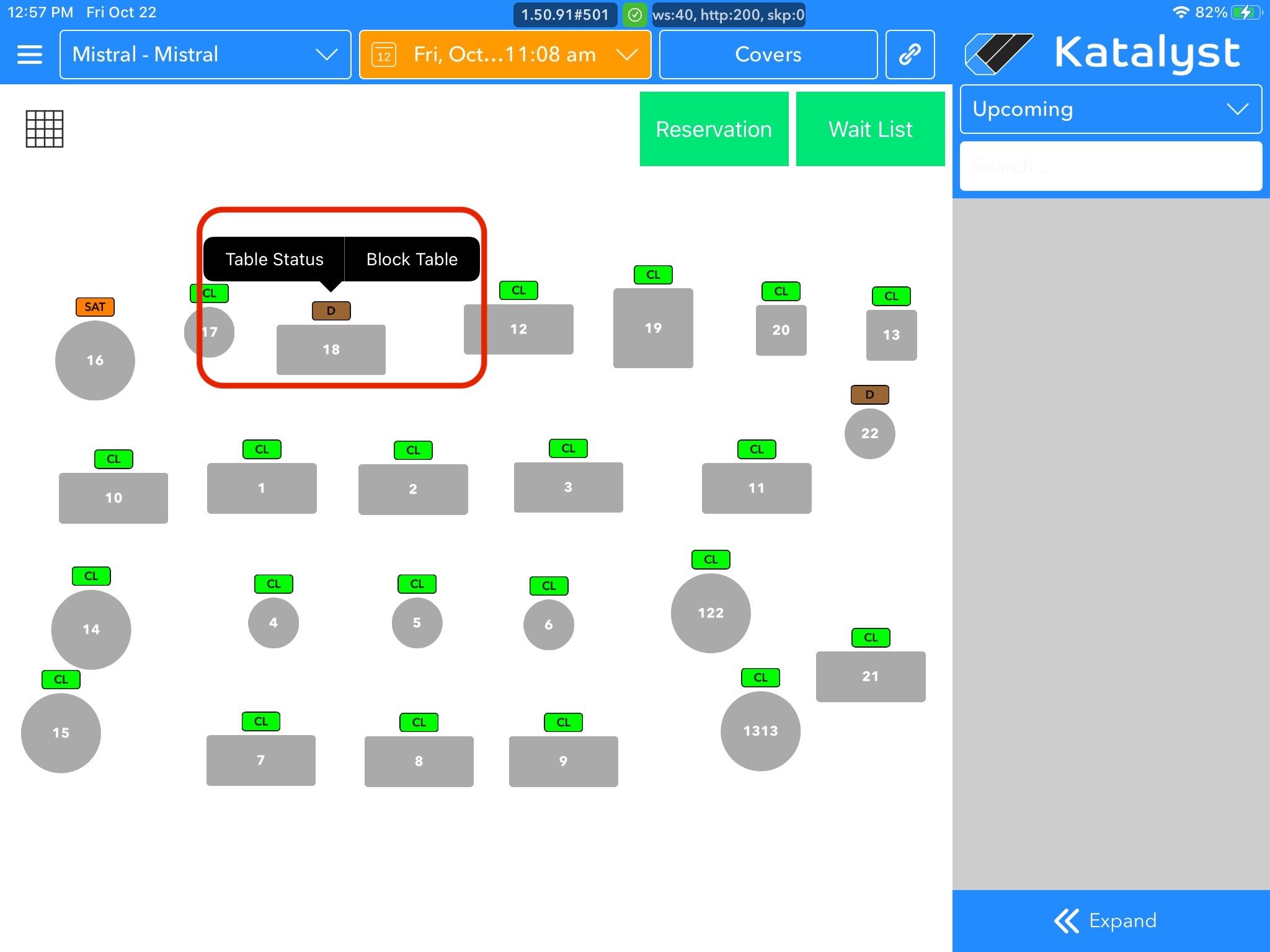 2. Tap on Table Status to view the options to select from:
 - Clean
- Dessert
- Seated
- Check Dropped
- Appetizers
- Dirty
- Entrees
- Hold
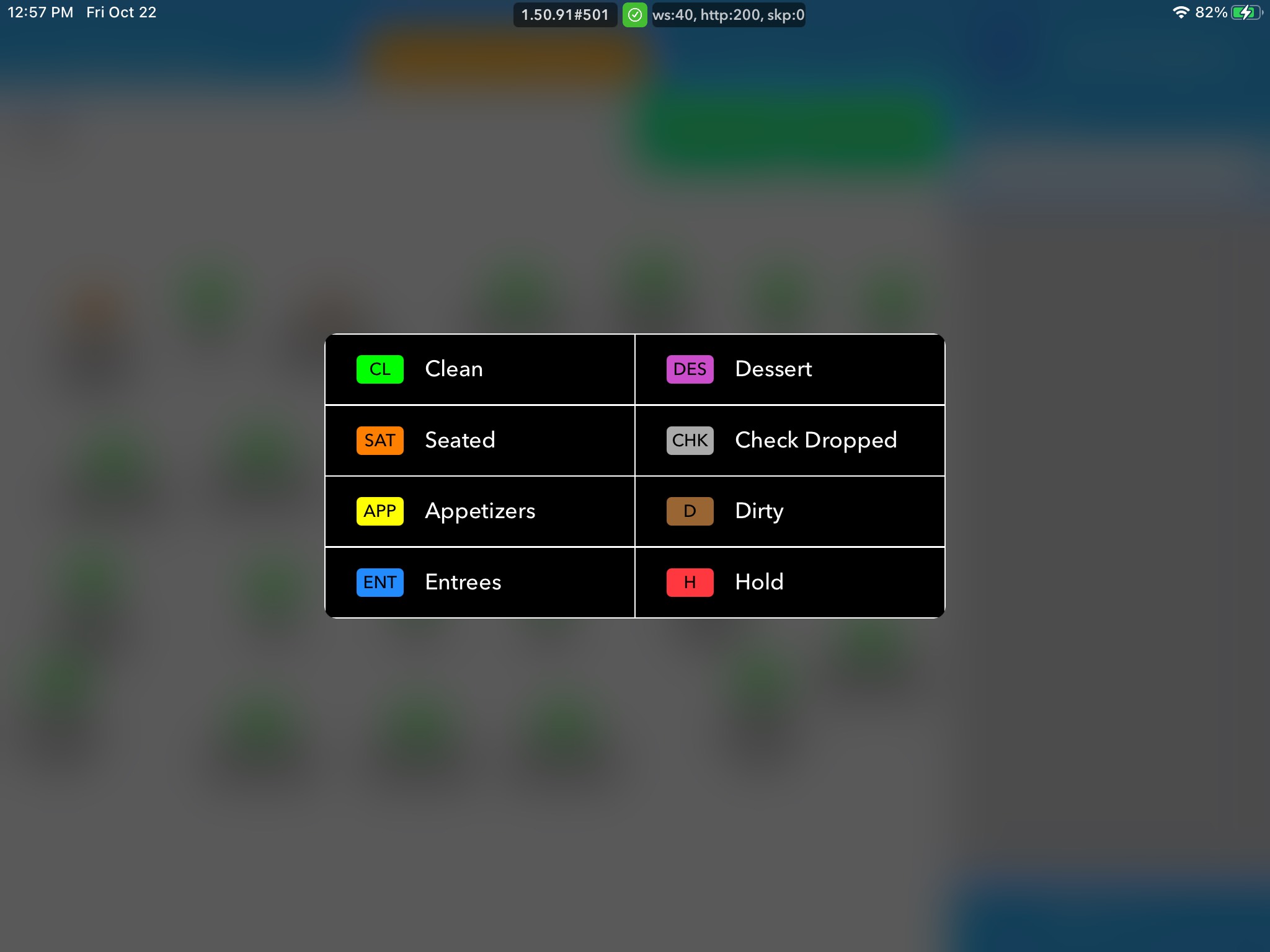 3. Tap on a Status to mark the table as such. The statuses that are automatically changed are Clean, Seated, and Dirty. All others should be manually changed.
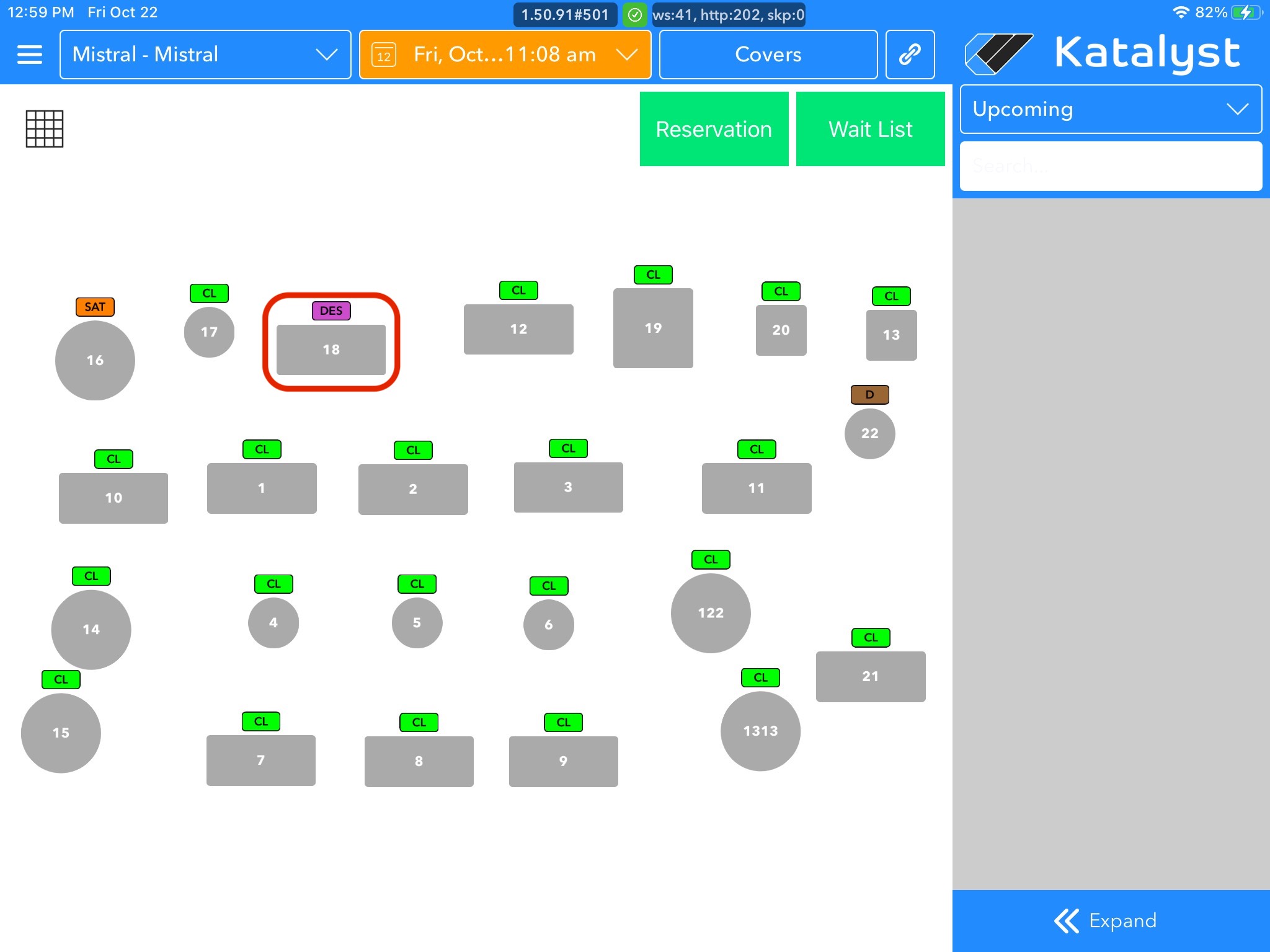 4. Follow steps 1-3 above to subsequently change the status throughout the lifecycle of the reservation.