- Help Center
- Merchant Admin Portal
- Dashboard
Dashboard Navigation
From the main dashboard, you can see each revenue center listed in the drop-down to the right of the date range tool. Here, you can customize the dashboard to display information that is important to you by using the '+' to add widgets.
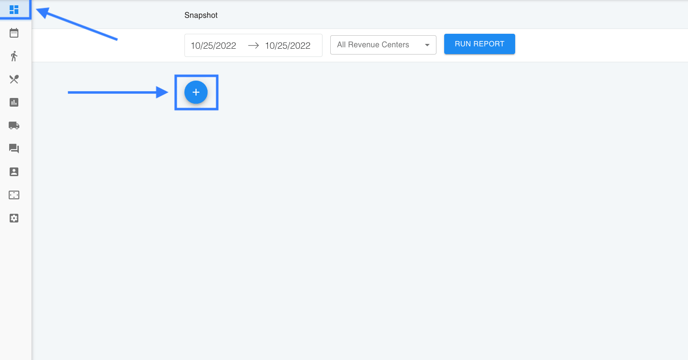 Each revenue center offers the following widget options:
- Check Count
- Checks per Period
- Check Average per Revenue Center
- Reminders
- Overview - Total Covers
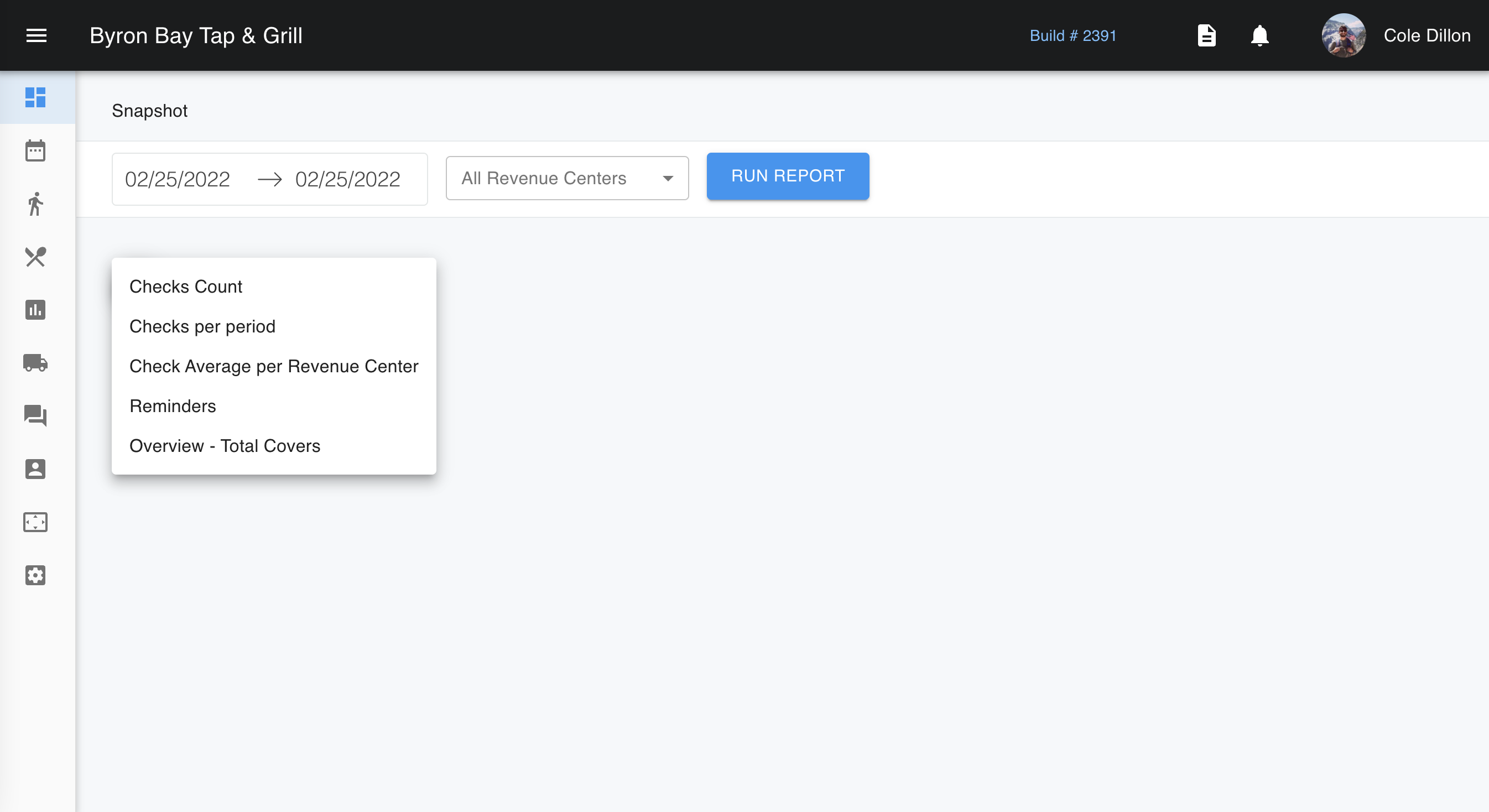
You can look at these snapshots from which ever dates you like, including live updates for your day-to-day operations.