If you are unable to find a closed check to adjust the tip on, it is likely that you have started a cashout and will no longer be able to see your checks.
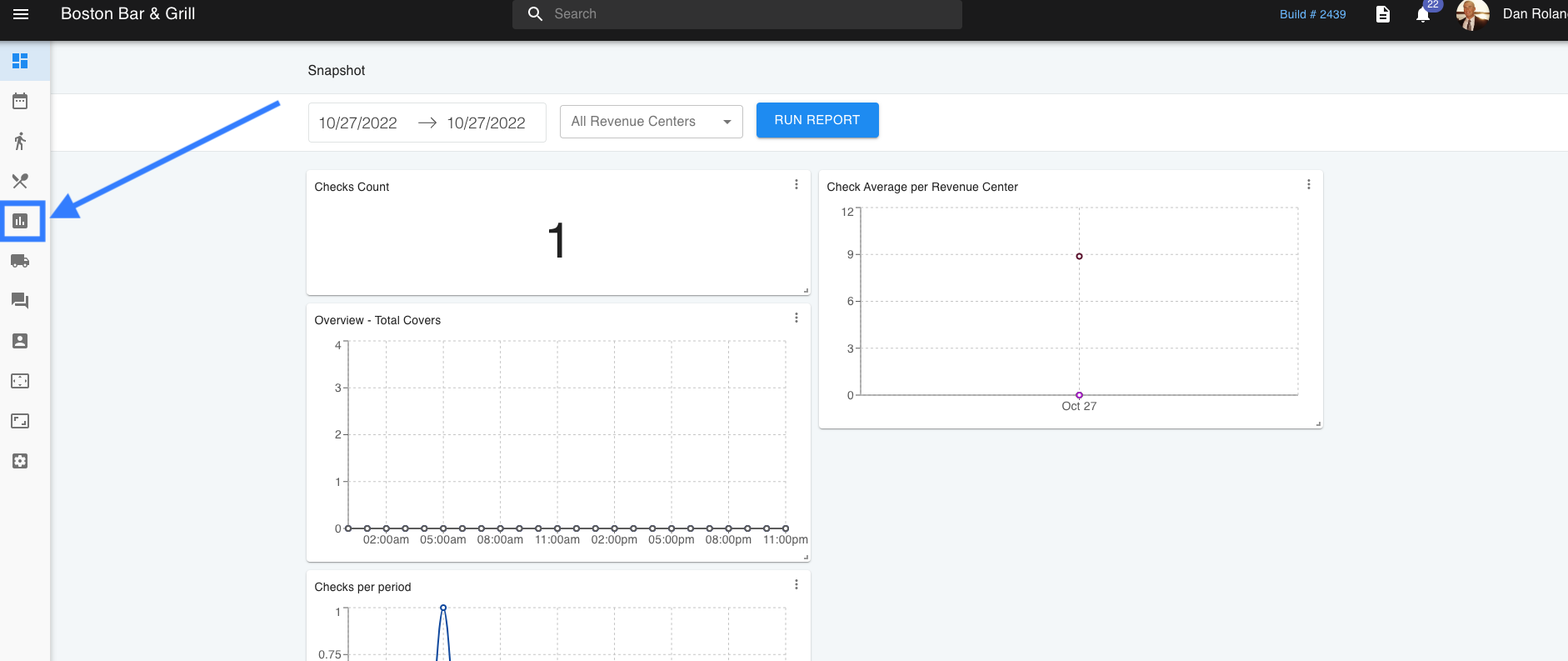
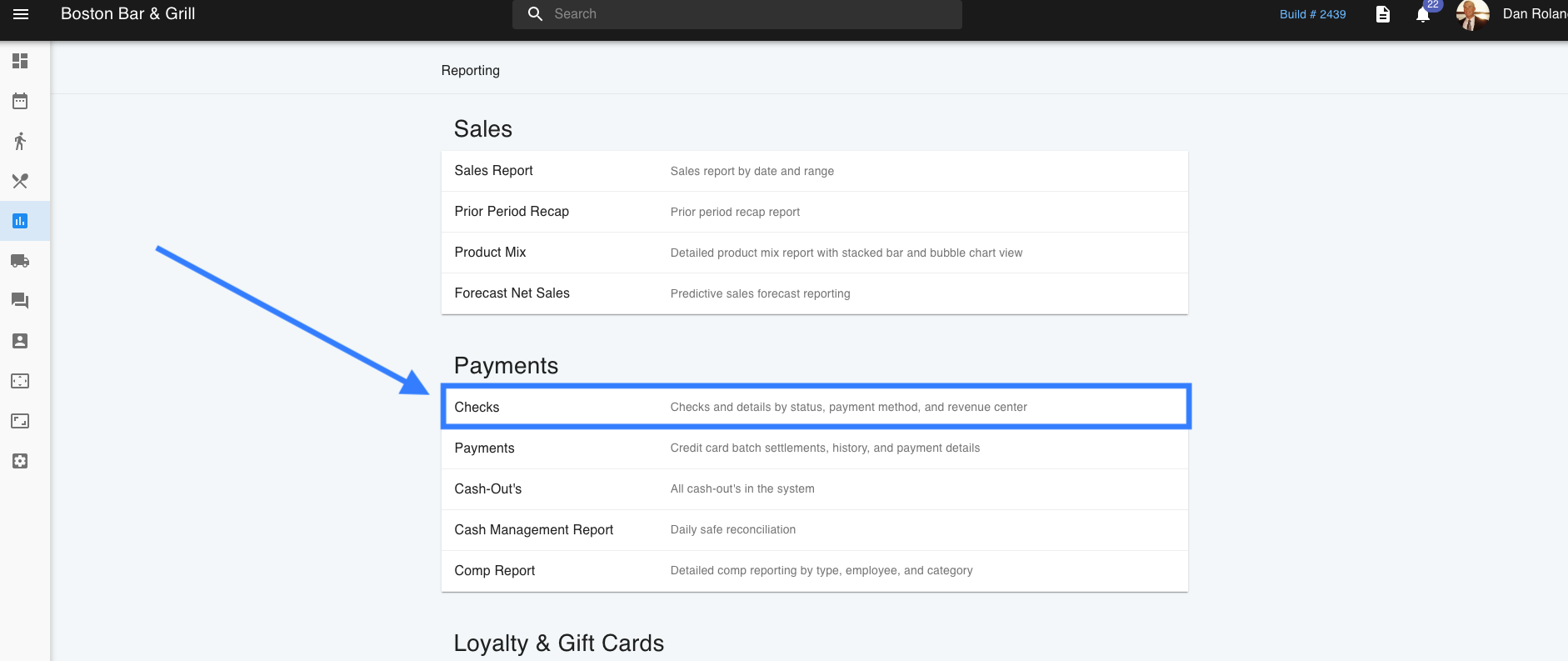
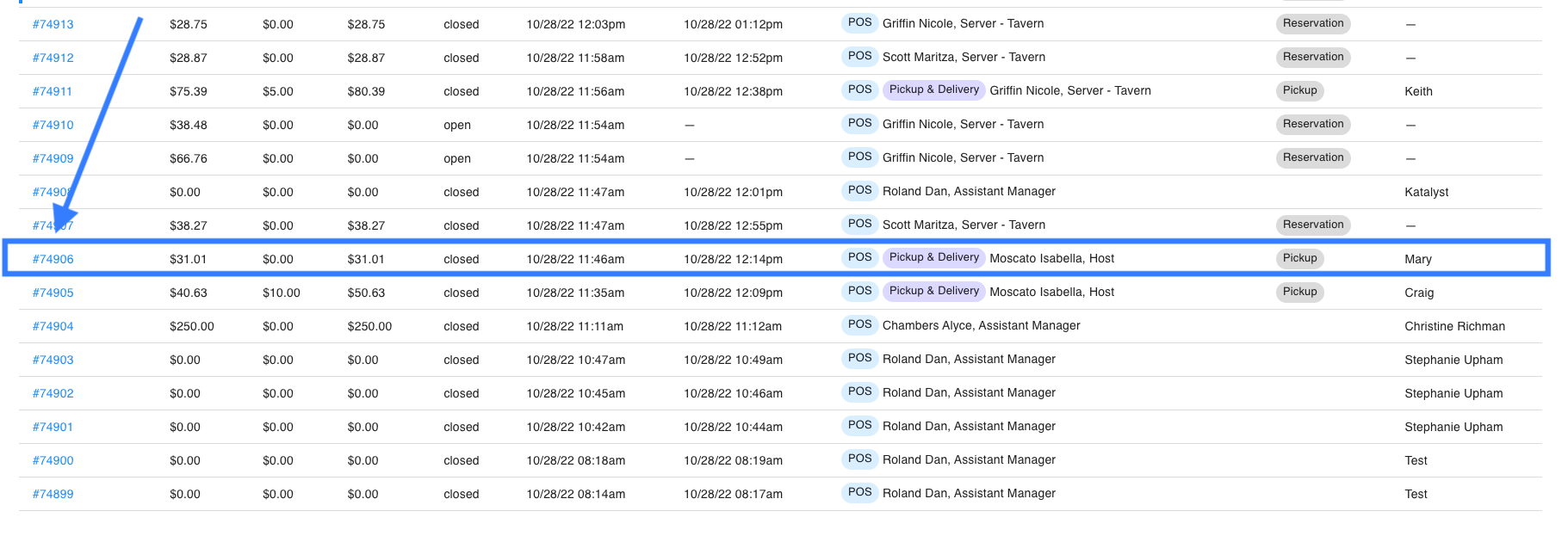
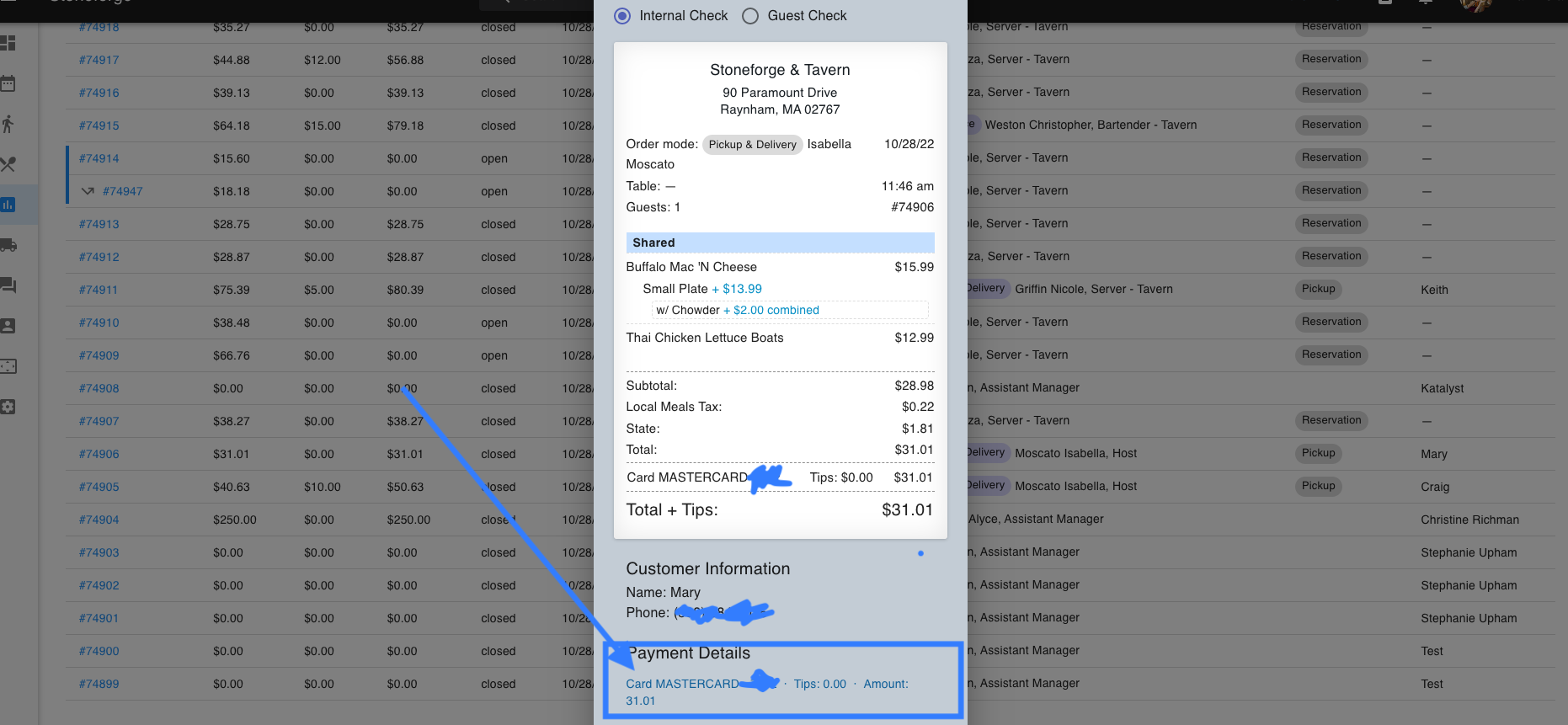
To access your checks again you will need to go the web side through your Admin Portal and go to Reports > Checks to search for your check number. Once you have located the check you would like to adjust, you will need to click into it. At the bottom of the pop-up that appears will be a clickable area that is labeled Payment Details. Click into this for a new pop-up where the tips can be adjusted by clicking into Tip Adjust.
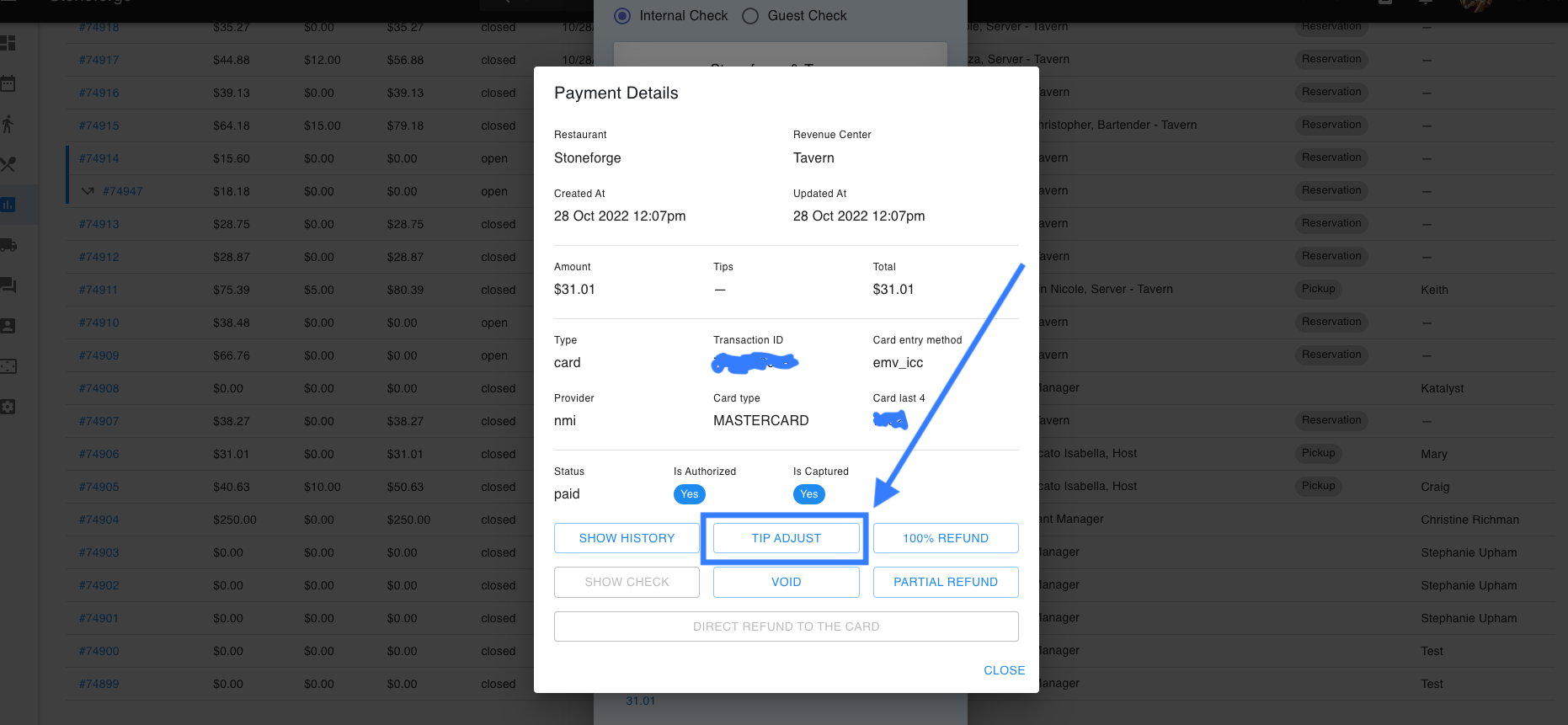
Once this is done please be aware that your cash out will not show any tips on this check and you will need to manually do your own calculations.