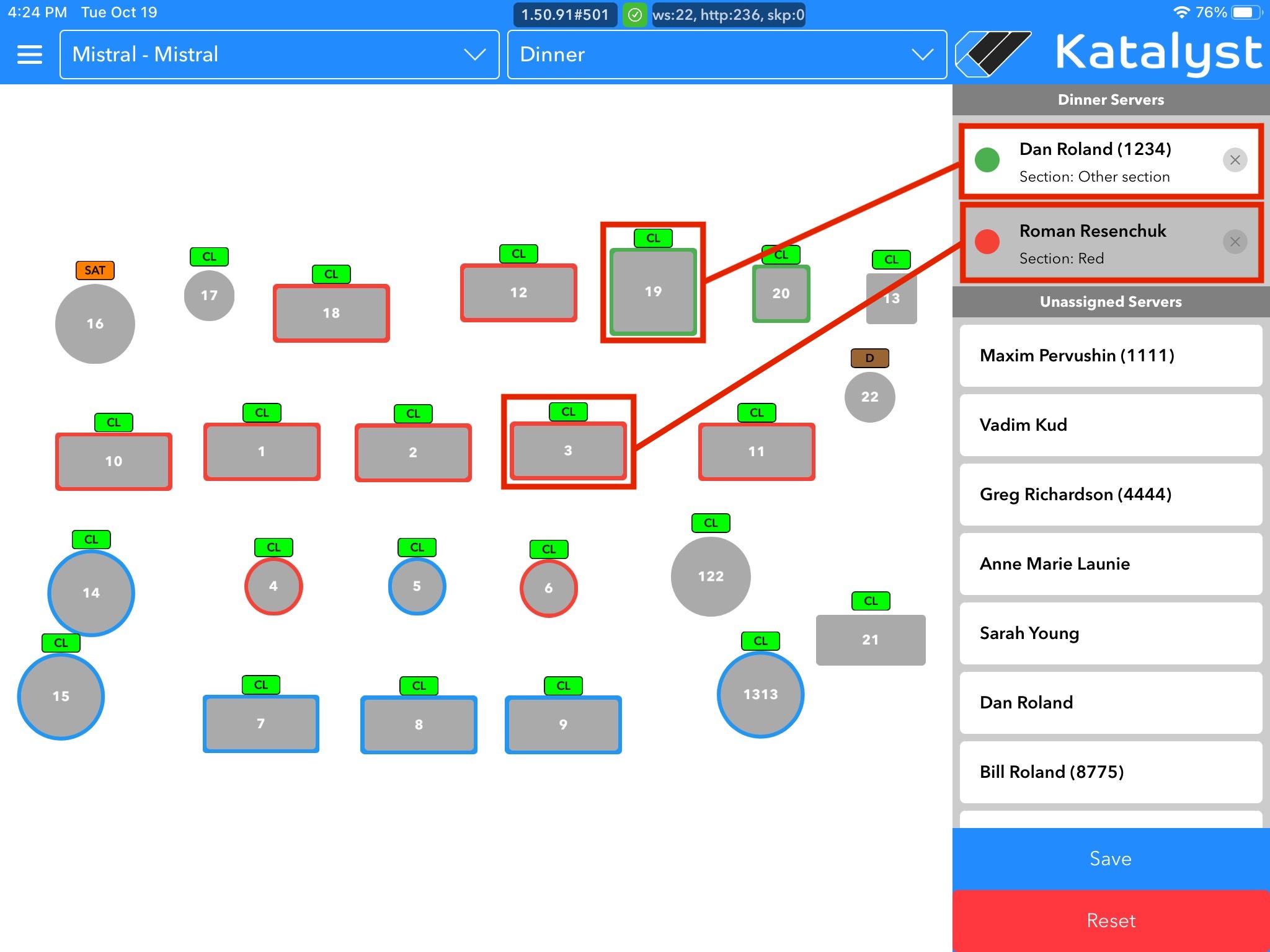
From Assign Server, you're able to make changes to the section assignment. Only some job classes will have access to this screen to make changes.
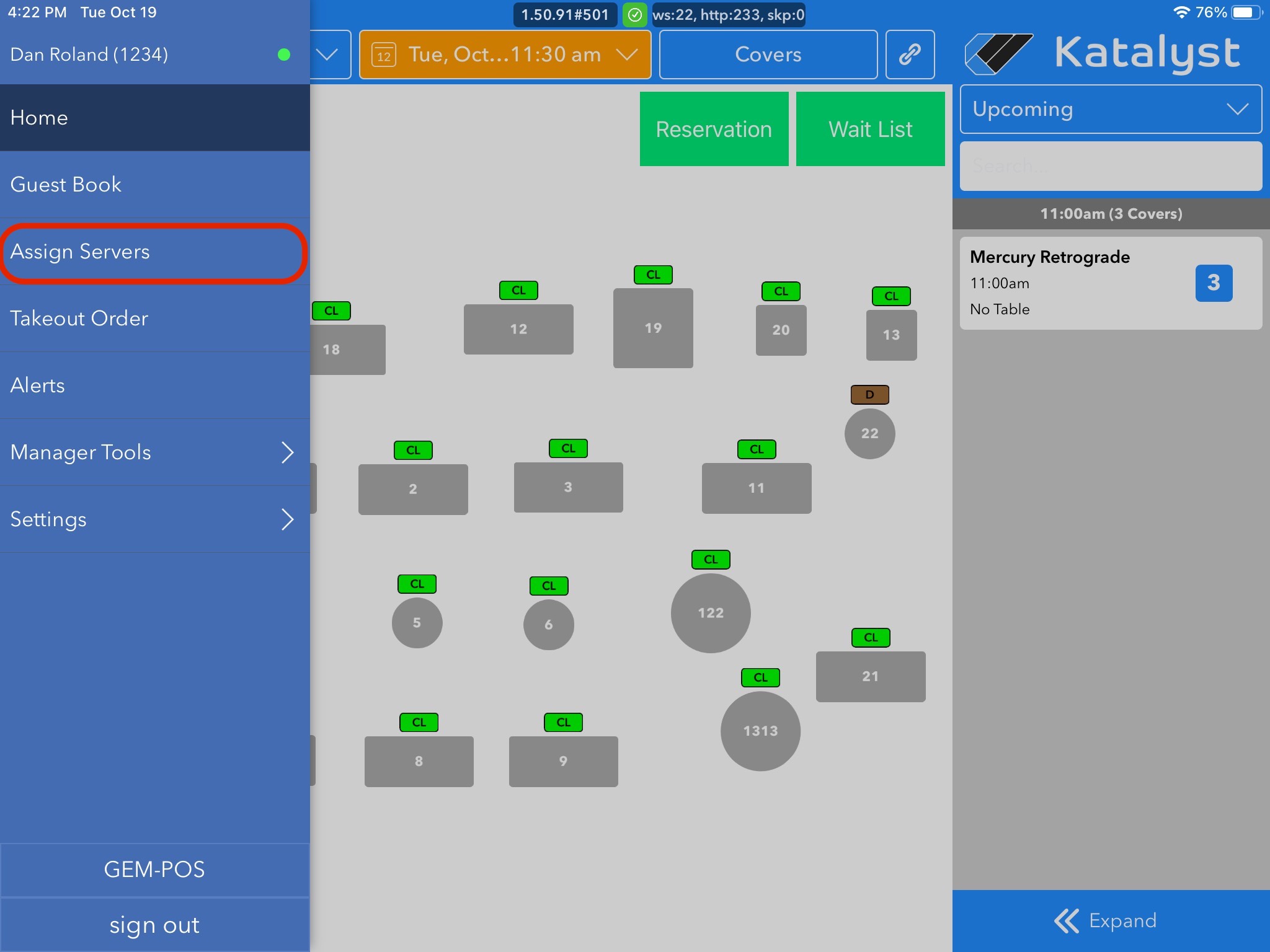
To access this, you should open the menu to the left by either sliding the screen in from the left or by clicking on the hamburger menu. Once you see the menu, click Assign Server.
 In the top bars, you will be able to switch between revenue centers and layouts depending on how your business is set up. Layouts are variations of table assignment setup. These are not editable here, but you can make changes through your Admin portal.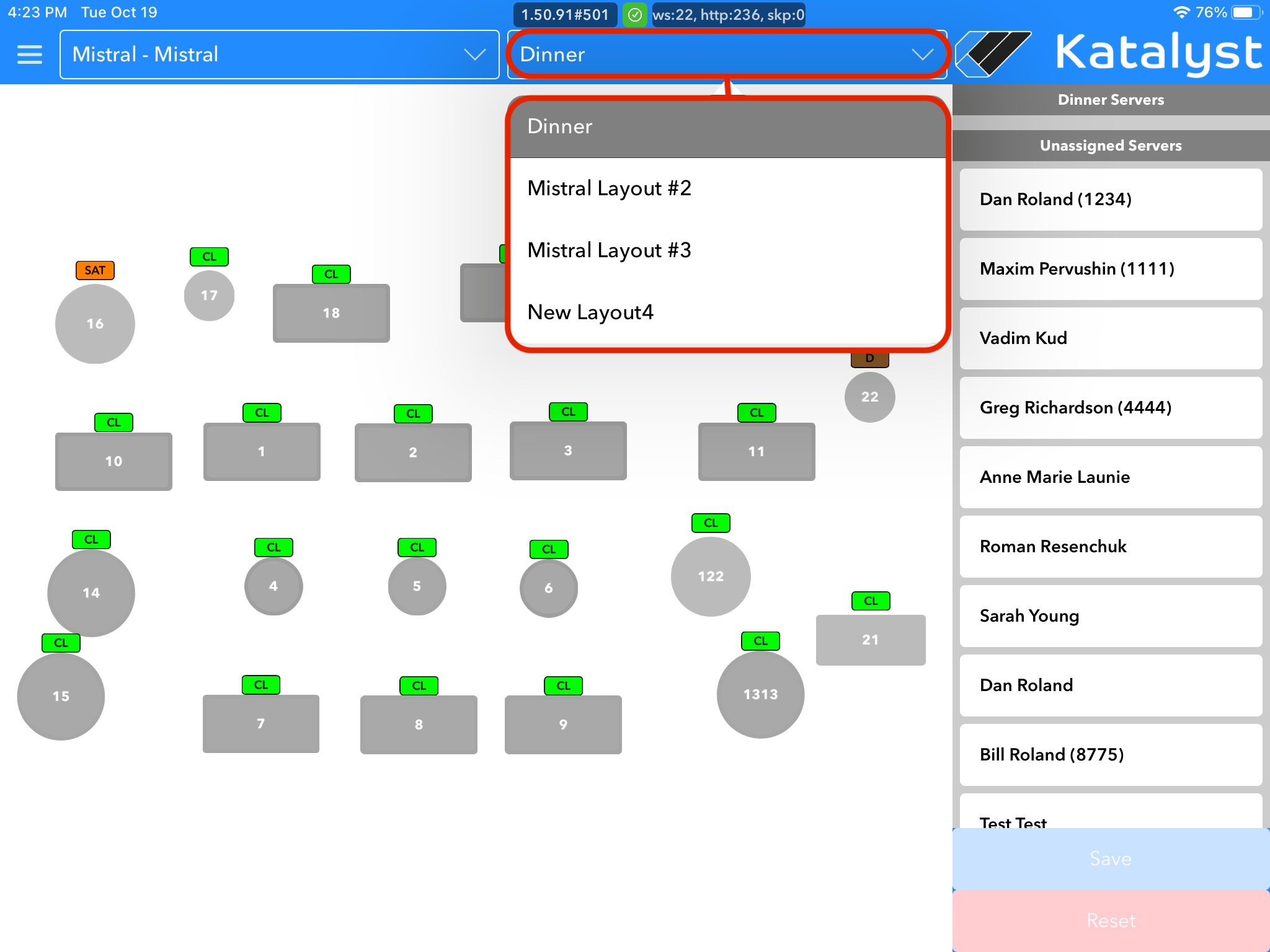
To assign servers, you should select the server and then click on a table within the section the server will be assigned to. You can switch between sections assigned to an individual server as well just by leaving the server selected and then by switching between sections.
If you want to remove someone from a section, you would just click the x next to the server's name in the list on the right. You must save any changes you make to assigned sections for it to reflect in table management. If you were to swap out a server, you can do so by following the same steps. Once the new server is assigned to the section, the system will then start new statistics for the new Server assigned to that section’s tables.