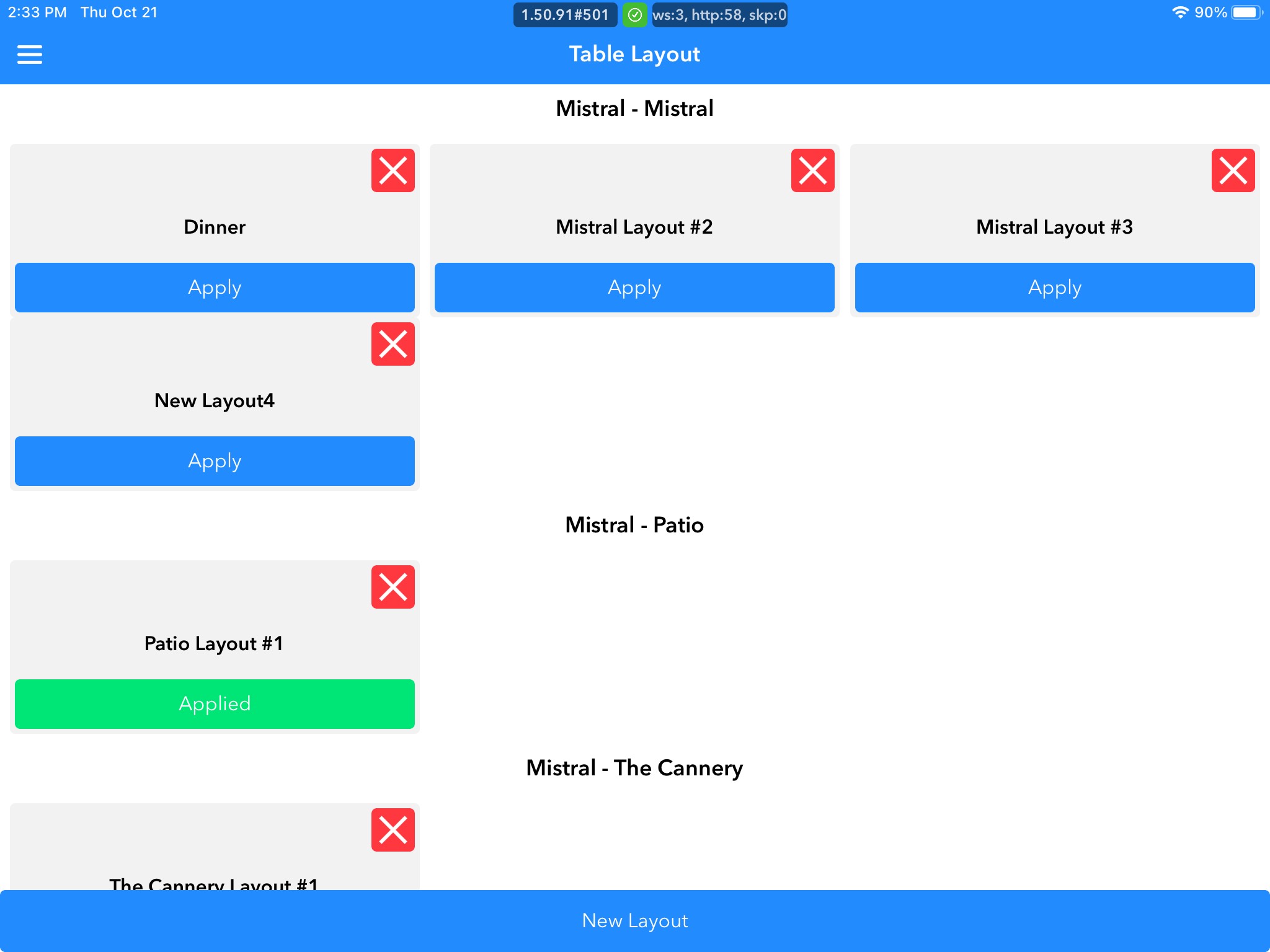
Assign Sections is where you're able to edit existing layouts that are available in the assign server tab. From here, you can see which layouts are being used in real-time, are able to apply a different layout if you want to switch over from here, delete layouts, and add new layouts.
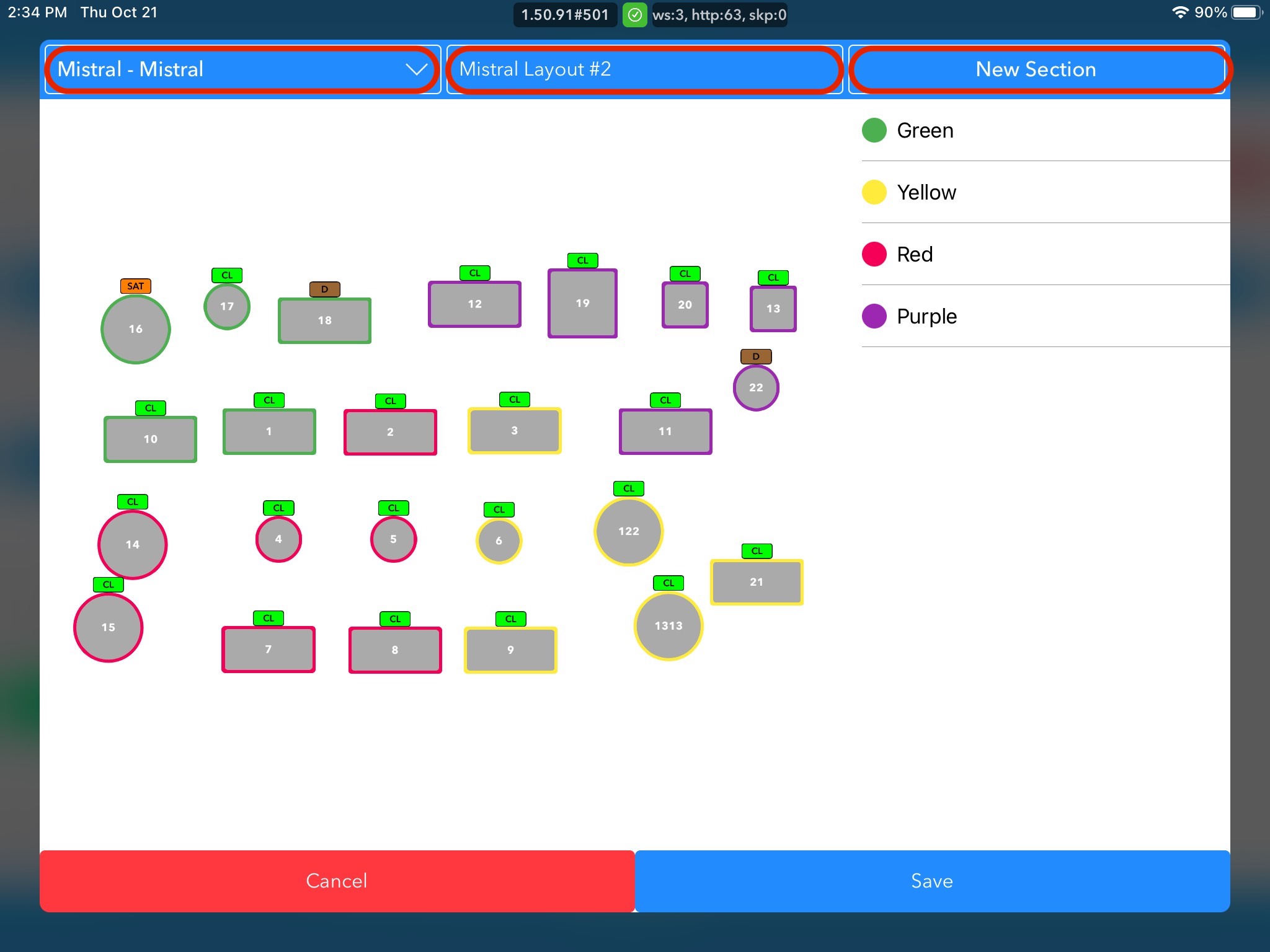
If they click into an existing layout, a pop-up will appear that shows the revenue center that the layout can be used, a text box to name and label the layout, and the option to create a new section.
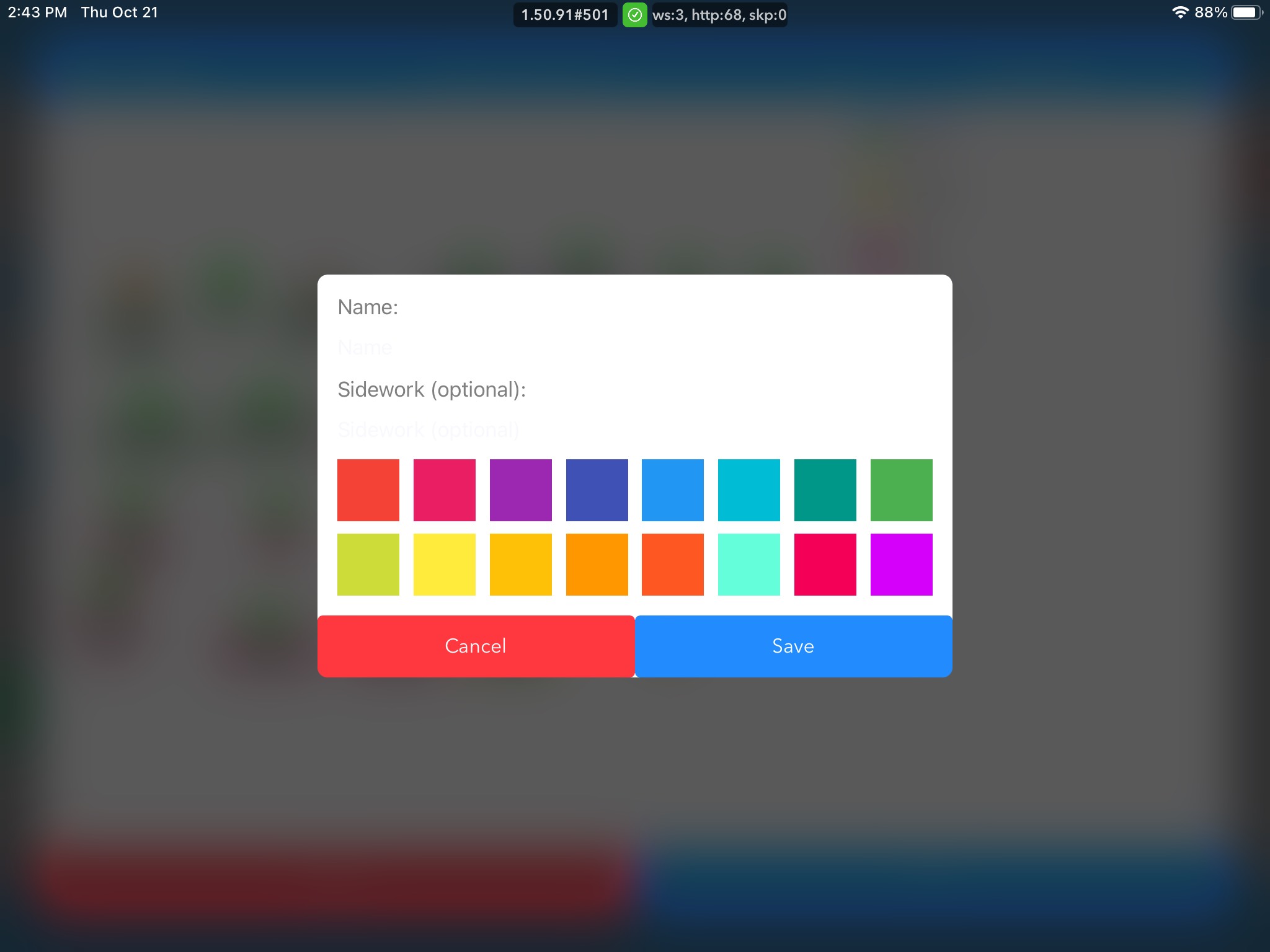
If you do want to create a new section, once you click on this, a popup will give you color options to help keep sections organized in-order to obtain clear division. You can name the sections, as well as note side work that should be done if in this section. To apply colors to the sections, you should just click on the color you wish to apply and click on the table you wish to apply it to. You should save the adjusted or new floor plan once you are done making changes.