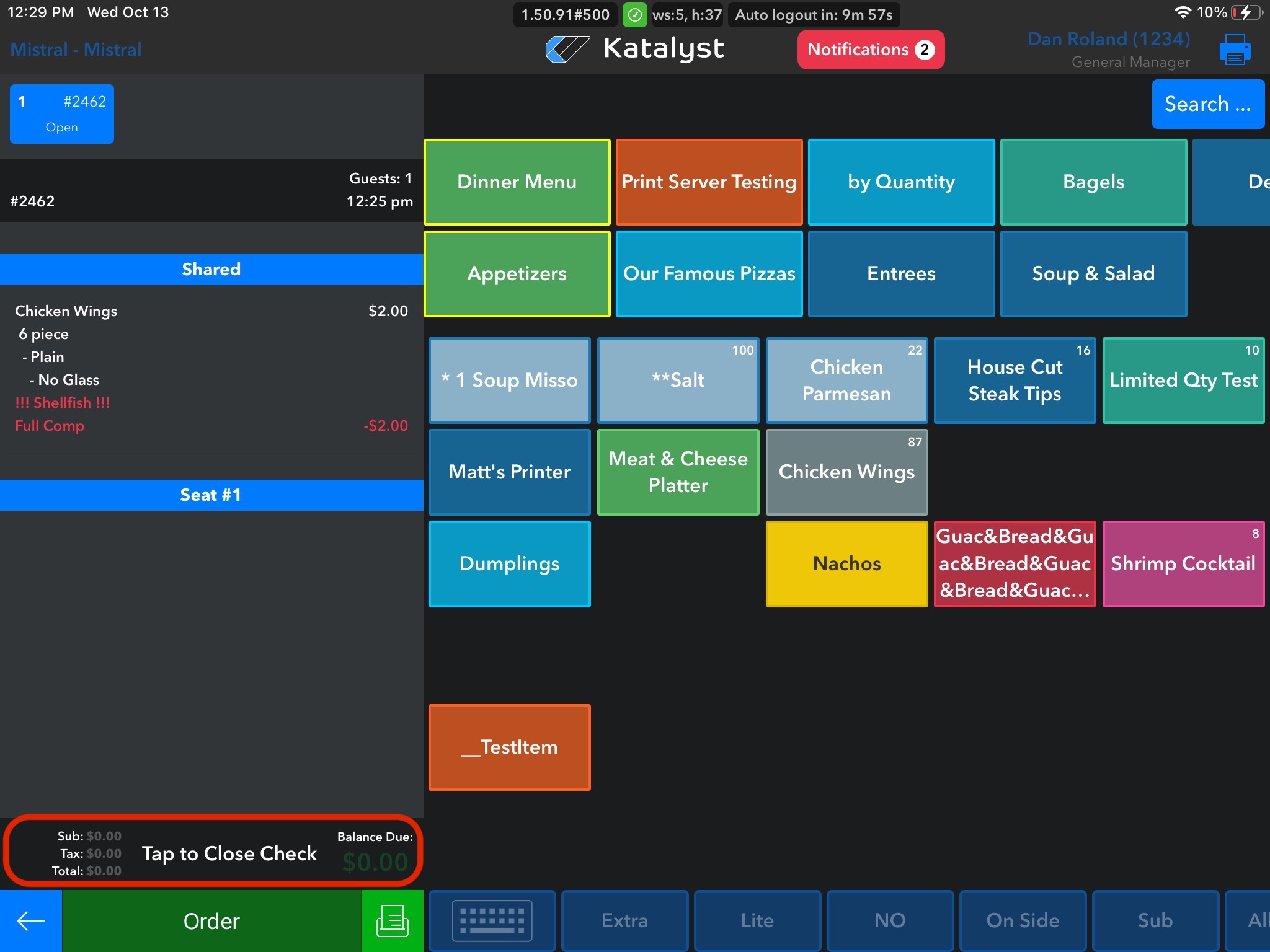
Adjusting payment can be a tricky business. Depending where the check is in its journey, will depend on if the check is adjustable. If the check was recently paid for, it is easier for the merchant to adjust the check. If the check has not been closed, the merchant can click on Tap to Close Check which will generate the option to either Adjust the check or Close the Check.
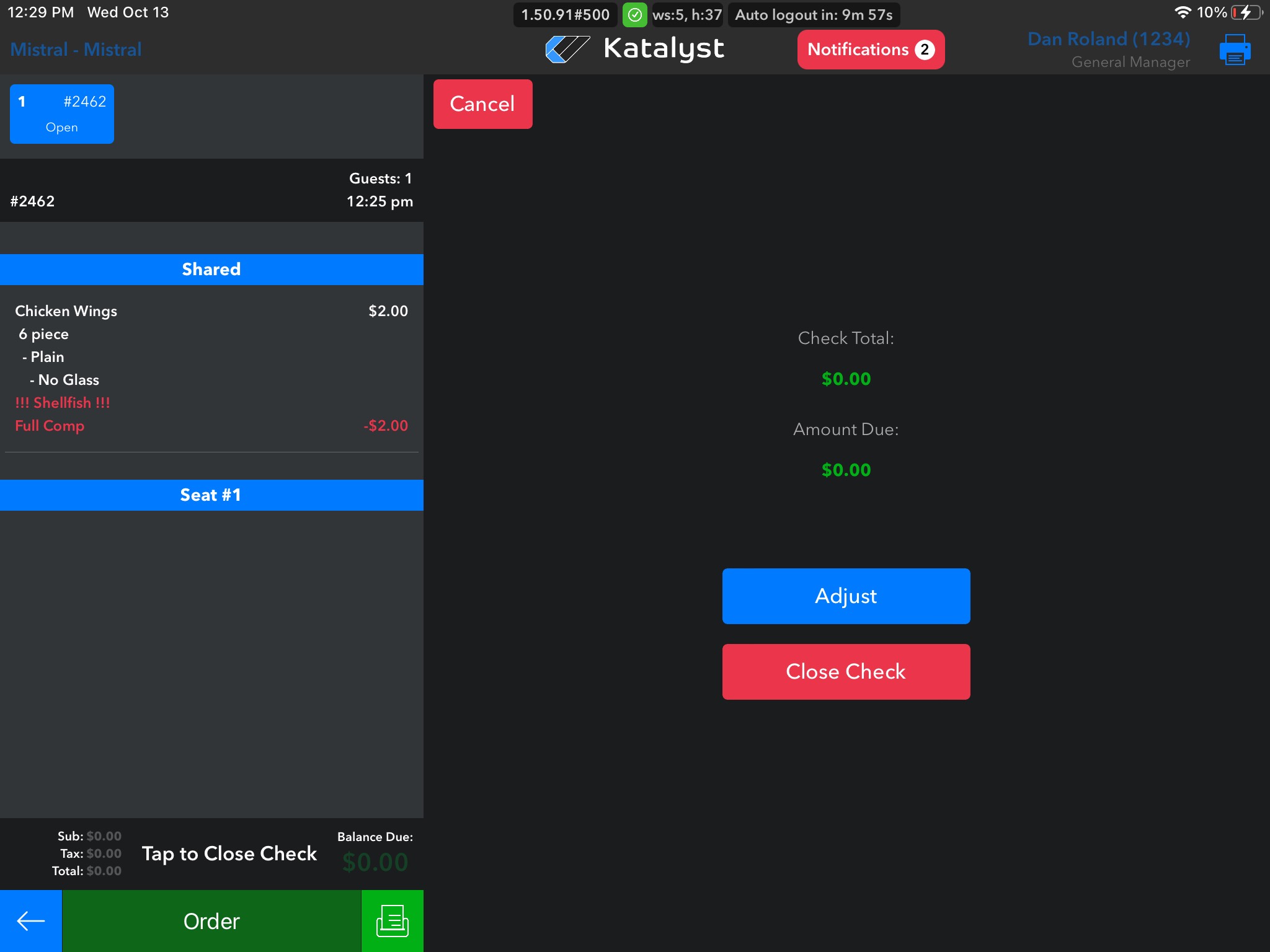
Once you tap on Tap to Close Check, a new screen will generate with the check total and the amount due listed. From here there are two options, to Adjust the check or Close the check. If we click to close the check, it will be closed. If we click Adjust, a new screen will appear.
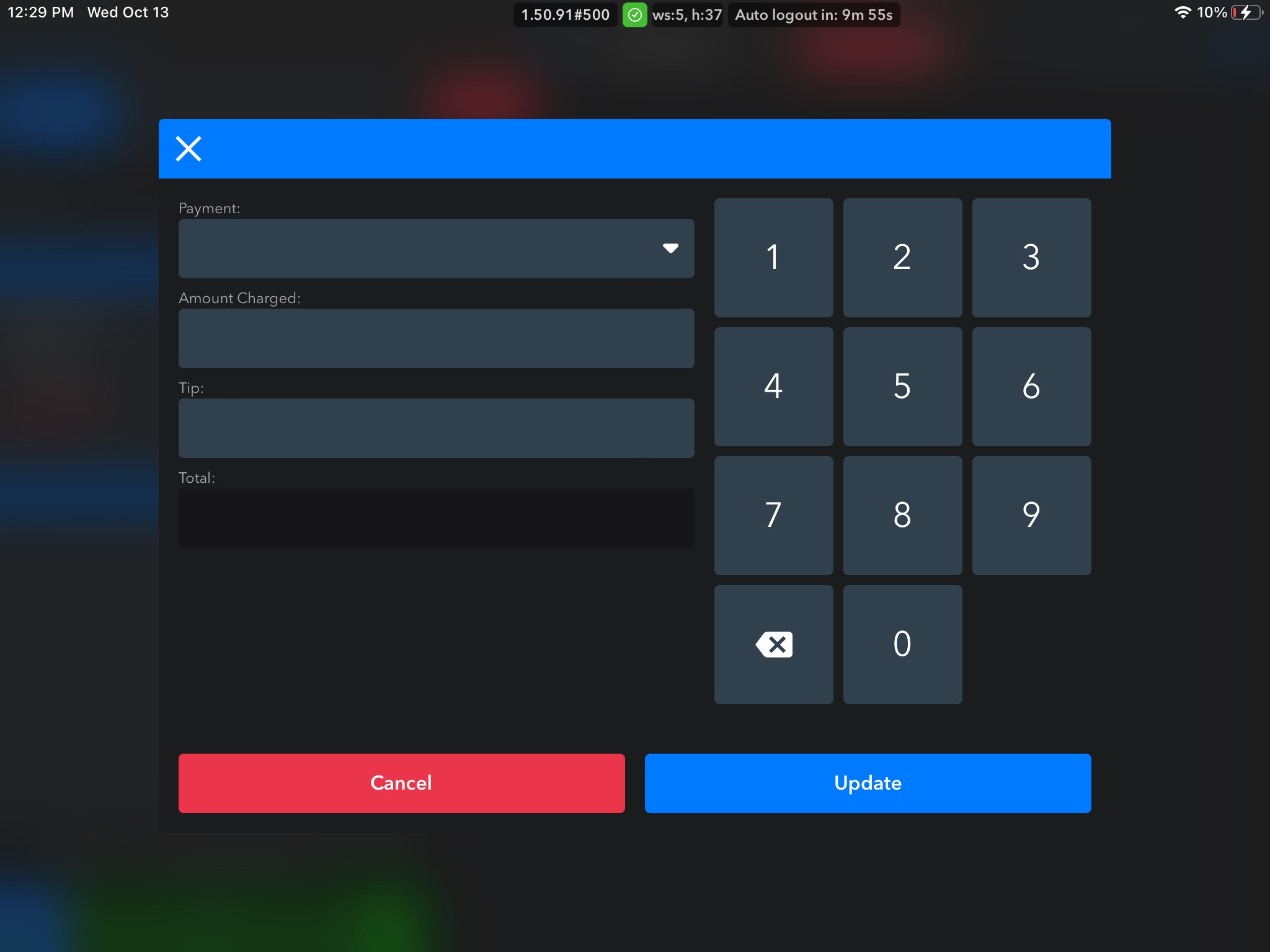
Once the adjustment screen appears, you can adjust the amount and tip. If the check has been batched, the merchant can only make changes through the web. If it is an older check, unfortunately they will have to call the processor to make changes.